40+ Best Apps for 6-Year-Olds Across Learning and Play
Discover the best apps for 6-year-olds that combine fun and learning—perfect for curious kids exploring math, reading, art, and more.


On Websites for Kids, choosing the Best Apps for 6-Year-Olds matters because the right app can turn screen time into real learning. You open the app store and see dozens of games with shiny icons and little clue about safety or skill level.
This guide breaks down reading apps, math games, creative tools, interactive storybooks, and beginner coding apps to help you find age-appropriate choices that make learning and play enjoyable while supporting healthy development and curiosity.My Coloring Pages' solution, 18,503+ free coloring pages, offers printable, low-tech activities that build fine motor skills, color and shape recognition, and imagination, giving kids a screen break that still supports learning and creative play.
Summary
- When design aligns with developmental needs, measurable gains follow: 85% of parents reported improved problem-solving after using educational apps, and 30 minutes of age-appropriate daily use led to a 20% increase in vocabulary.
- Keep interfaces simple and sessions short, since feature-rich apps increase cognitive load. A practical three-step rule recommends one focused app, a timed 10- to 20-minute session, then a single printable follow-up.
- Pairing digital moments with tactile activities improves retention, which is why the guide profiles 43 apps chosen explicitly for how well they convert a short screen session into a printable follow-up.
- Match app type to a child’s energy and overall limits. Given that 75% of 6-year-olds use digital devices daily, expert guidance recommends a sensible limit of about 1.5 hours per day for ages 6 to 10, spread across short sessions.
- Reduce purchase friction and distractions by choosing offline-first or adult-gated apps, then run a two-week test tracking three simple measures (mood, transition ease, and sustained offline focus) to tune the routine.
- The core problem is the repeated handoff, so treat screen time as a recipe step: one short app session (for example, ten minutes) followed immediately by one printed activity creates a consistent transition that most families find easier to sustain.
- This is where 18,503+ free coloring pages fit in: they provide immediate, printable follow-ups that convert short app sessions into tactile practice that supports fine motor skills and focused attention.
Why Age-Appropriate Apps Matter for Your 6-Year-Old's Development

Six is a turning point: children sharpen fine motor control, begin real reading and number work, lengthen their attention span, and learn steadier emotional regulation. Apps built for older kids or adults, even when labeled educational, can overwhelm a six-year-old with too many choices, fast feedback loops, and visual clutter, which fragments learning rather than supports it. Age-appropriate design, by contrast, narrows options and builds confidence, curiosity, and independent exploration — exactly the skills you want screen time to strengthen.
Why does six feel so different?
Children this age are practicing small, repeatable skills: holding a pencil with control, matching sounds to letters, counting with one-to-one correspondence, and sitting through a brief multi-step task. Those are low-bandwidth challenges. When an app displays menus, customization panes, or rapid-reward animations to a child, cognitive load increases and practice declines. This pattern appears in both home and classroom settings: developers add features to show value, caregivers download the flashiest apps, and the result is distracted play that looks busy but teaches little.
How do features become distractions instead of learning tools?
The failure point is usually complexity. A feature-rich app asks the child to learn the interface first, then the content. That sequence flips the learning goal. Parents often express real frustration that more buttons, extra modes, and game economies do not equal better outcomes; instead, they create friction and short, repeated interruptions. Think of it like handing a child a complete art kit when they only need a single brush: the kit overwhelms, the brush builds skill.
What evidence supports choosing simpler, age-appropriate apps?
When design matches developmental needs, measurable gains follow. According to the SmartTales Study, 85% of parents reported that their 6-year-olds showed improved problem-solving skills after using educational apps.
The same study, SmartTales Study, found that children aged 6 who used age-appropriate apps for 30 minutes daily showed a 20% increase in vocabulary, which shows that focused, time-bound use pays off.
What should caregivers actually do, in practical terms?
If the goal is fine motor practice and early literacy, choose a straightforward app type per session: a drawing app, a letter-sound game, a counting manipulative, or a short storytelling tool. Keep sessions short and follow every digital minute with a hands-on minute: after a drawing session, print a matching coloring page for tracing and shading; after a story builder, assemble a small, printable booklet to sequence the story by hand. These concrete pairings let the child transfer digital patterns to tactile skills and keep screen time from replacing, rather than extending, play.
Most families handle app selection by chasing features because it feels efficient and modern. That makes sense. The hidden cost is that complexity fragments attention and sidelines offline practice, turning potential teaching moments into passive swipes. Platforms such as My Coloring Pages, with 18,503+ free coloring pages and a simple customization tool, provide an easy bridge: caregivers can convert a short app session into a printable activity in minutes, preserving the learning payoff while reducing repeat screen time.
How do you build a simple routine you can actually keep?
Set a three-step rule: pick one focused app, time it to 10 to 20 minutes, then do a single printable follow-up that reinforces the same skill. Rotate app types throughout the week so that finger strength, letter work, number sense, stress relief, and imaginative play each receive attention. This approach stops the multitool trap and gives the child repeated, scaffolded practice that matters.
That quiet change in how you pair screens with paper is where most families see the most significant shift in fundamental skills — and it’s far easier than you think to put in place.
But the surprising choices that make those pairings powerful are more specific than you’d expect, and they matter for what comes next.
Related Reading
- Fun Websites for Kids
- Free Drawing Websites for Kids
- Coloring Websites for Kids
- Free Coloring Websites for Kids
- Educational Websites for Kids
- Coloring Pages Websites for Kids
- Learning Websites for Kids
43 Best Apps for 6-Year-Olds Across Learning and Play

These 43 profiles focus on apps that pair well with hands-on, printable activities, so you can turn a short screen session into a printable follow-up that builds fine motor control, early literacy, math fluency, or supports calm play. I curated them to emphasize developmental fit, predictable interaction, and options for printing a matching page or a small booklet after play.
Sourced in part from lists like 43 Best Apps for 6 Year Olds — The Good Play Guide, and 43 Best Apps for 6 Year Olds — Educational Games Online, below are brief, practical profiles you can scan fast and match to a printable activity.
1. My Coloring Pages
Available on: Web. Pricing: Free core features; premium for advanced templates.
Context and Purpose
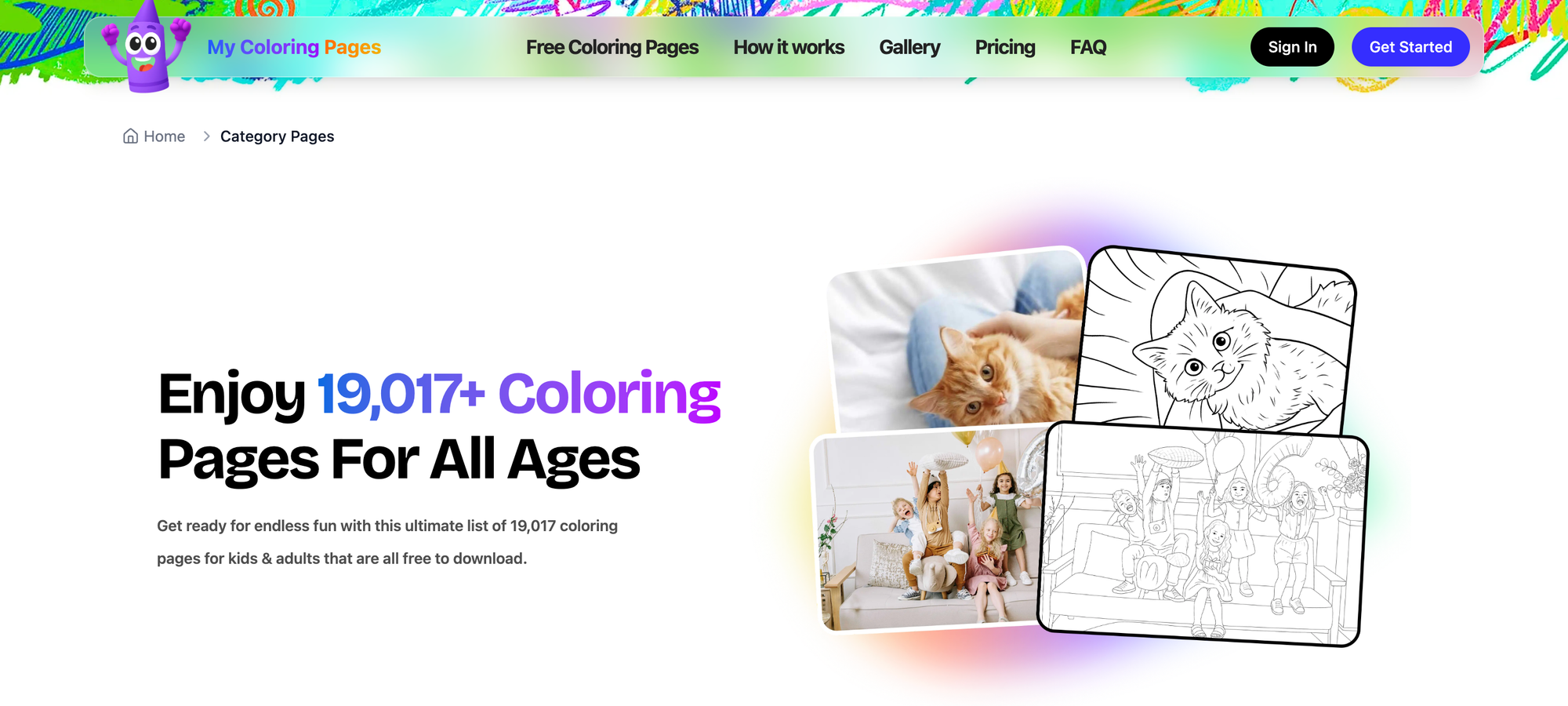
Designed to convert drawings, prompts, and photos into printable coloring pages and themed coloring books, this tool supports creative expression and handwriting-ready tracing. It works best for post-app hand practice, guided quiet time, or short independent creative sessions.
Development-Focused Feature Description
Simple prompts let kids describe what they want, producing clear black-and-white outlines that a six-year-old can color and trace. Large print areas and bold contours help young hands stay inside the lines, and printable booklets let you sequence images into a story. The interface is straightforward for parents, so setup time stays under five minutes.
Age-Appropriateness and Safety Notes
No ads inside the printable files, and parental control is as simple as saving and printing at home. The library is extensive enough to grow with a child for months without repeating favorites.
2. Khan Academy Kids
Available on: iOS, Android, Web. Pricing: Free.
Context and Purpose
A broad early learning curriculum that supports reading, math, and socioemotional skills, designed for preschool and early-elementary learners. It fits structured, short daily practice sessions and guided learning with a caregiver when needed.
Development-Focused Feature Description
Clear visual prompts, friendly characters, and bite-sized activities help six-year-olds complete short, rewarding cycles that reinforce phonics and number sense. Feedback is gentle and specific, highlighting the next small step rather than scoring harshly, which sustains confidence. The app adapts difficulty to avoid boredom without overwhelming a child.
Age-Appropriateness and Safety Notes
Completely free with no ads, and parental dashboards let you see progress so you can decide which printables make sense.
3. PBS KIDS Games
Available on: iOS, Android, Web. Pricing: Free.
Context and Purpose
Game-based experiences featuring familiar characters, focused on early math, literacy, and problem-solving, are ideal for short, independent sessions. Use it when you want familiar faces to lower cognitive friction so learning feels like play.
Development-Focused Feature Description
Games use single-purpose screens and large icons so six-year-olds can navigate without scrolling through menus. Levels reset with clear visual routines, giving repetition without boredom. The content supports transfer: after a counting game, print a simple worksheet to reenact the same sequence with crayons.
Age-Appropriateness and Safety Notes
No in-app ads and curated content mean lower risk of distraction, but check for optional downloads that may require adult approval.
4. Starfall ABCs
Available on: iOS, Android, Web. Pricing: Free app version; expanded Starfall subscription available.
Context and Purpose
Targets letter-sound matching, phonics, and early reading with animated stories and songs, best for short, focused literacy practice. It pairs well with printable tracing pages that let kids practice forming letters after audio-guided play.
Development-Focused Feature Description
Activities are linear, with clear visual cues for "what to tap next," so kids build confidence without struggling with navigation. Songs and repetition reinforce phonemes, and the app avoids flashy reward economies that distract from the skill.
Age-Appropriateness and Safety Notes
Free core lessons are suitable for six-year-olds, and parental settings let you limit time and track progress.
5. ScratchJr
Available on: iOS, Android. Pricing: Free.
Context and Purpose
Introduces block-based sequencing to create simple animated stories and games; great for logical thinking and storytelling. It is best when an adult initially models one short project, then the child explores independently.
Development-Focused Feature Description
Drag-and-drop blocks are large and color-coded, matching motor skills at this age. Visual feedback shows characters moving step by step, helping children connect cause and effect without reading lengthy instructions. Printing a storyboard after a project helps cement sequencing and handwriting practice.
Age-Appropriateness and Safety Notes
Offline-friendly and free, with no ads. Parental supervision is recommended during the first sessions to scaffold concept-to-paper transfer.
6. Cornelius (Corneille) educational application
Available on: iOS, Android, Web. Pricing: Paid with levels; teacher packages available.
Context and Purpose
A structured reading program using phonetic games, interactive stories, and graded books for children up to 8, suited for targeted literacy work. Use for guided independent practice or small-group follow-up.
Development-Focused Feature Description
Personalized pacing adapts tasks to the child, so a six-year-old sees activities that match current ability and feel achievable. Clear auditory cues and minimal buttons keep the interface low-friction. Progress reports let you select printable, leveled pages that mirror digital activities.
Age-Appropriateness and Safety Notes
Designed with education ministry support, it emphasizes pedagogy over flash; in-app purchases are explicit and separated from the learning flow.
7. Montessori Kindergarten (Maternelle Montessori)
Available on: iOS, Android. Pricing: Paid app with in-app purchases.
Context and Purpose
Digital representations of Montessori manipulatives for number sense, reading foundations, and exploration; works well as a companion to tactile practice. Best for short sessions that precede hands-on printable tasks.
Development-Focused Feature Description
Virtual manipulatives mimic the physical feel, helping children learn by moving objects rather than reading instructions. The interface encourages repeated small exercises, which support developing fine motor sequences. After play, print matching tracing sheets to reinforce pencil control.
Age-Appropriateness and Safety Notes
Respects Montessori principles, emphasizing autonomy; check in-app purchase settings to prevent unintended buys.
8. Lili.cool
Available on: Web resources and printables (screen-free). Pricing: Paid resources and free materials.
Context and Purpose
Screen-free emotional learning tools that use stories, activity sheets, and guides to teach empathy and emotion regulation—helpful for calm-down routines. Perfect for caregiver-led moments and classroom circle time.
Development-Focused Feature Description
Activities focus on naming emotions and practicing simple coping strategies, with physical activity sheets designed for six-year-old attention spans. The human-centered approach helps children discuss their feelings before or after using app-based social stories.
Age-Appropriateness and Safety Notes
No screen-based ads; resources are meant to be printed and used offline, aligning neatly with follow-up coloring or drawing.
9. Babaoo educational application
Available on: iOS, Android, Web. Pricing: Paid with classroom packs.
Context and Purpose
An imaginative journey through executive functions, helping kids understand attention, working memory, and self-control via narrative challenges. Best for guided exploration with an adult debrief and a printable reflection sheet.
Development-Focused Feature Description
Challenges are short quests that model strategy use; feedback explains the cognitive skill practiced rather than just giving points. Collectible cards provide motivation without complex economies. Printing progress cards lets children celebrate mastery in a tangible way.
Age-Appropriateness and Safety Notes
Designed with neuroscience advisors, classroom packages include teacher supports and tracking tools.
10. Holy Owly
Available on: iOS, Android. Pricing: Freemium with subscription option.
Context and Purpose
Teaches foundational English through short interactive lessons and daily 5-minute exercises, ideal for bilingual or early-English learners. Great for daily micro-sessions that lead into printed vocabulary pages.
Development-Focused Feature Description
Short, repetitive oral practice and matching games promote pronunciation and confidence without overstimulation. Audio prompts guide children through each step, reducing the need to read instructions. Use printable flashcards after a session to reinforce spoken words with handwriting practice.
Age-Appropriateness and Safety Notes
Progress tracking for parents helps plan printable follow-ups and monitor subscription prompts.
11. Scratch Jr (listed again)
Available on: iOS, Android. Pricing: Free.
Context and Purpose
A low-barrier coding lab for storytelling and sequencing that builds planning and fine motor sequencing. Use it for a single short project, then print a storyboard the child can color and annotate.
Development-Focused Feature Description
Blocks are tactile and nonverbal for the most part, which fits six-year-old reading levels. The app rewards iteration, so kids can test a script, see the result, and tweak it.
Age-Appropriateness and Safety Notes
No ads or purchases; great for collaborative parent-child sessions that conclude with paper storyboards.
12. BayaM
Available on: iOS, Android, Web. Pricing: Subscription.
Context and Purpose
A mixed-media library of stories, games, and cartoons curated by a reputable publisher, suited for varied interests across the week. Pair listening activities with printable sequencing pages or coloring sheets that correspond to the stories.
Development-Focused Feature Description
Curation reduces choice overload by presenting age-appropriate bundles, so six-year-olds do not have to navigate a huge catalog alone. The variety supports cross-modal learning, linking audio comprehension to drawing and writing.
Age-Appropriateness and Safety Notes
An ad-free environment and screen-time controls are built in, providing transparency parents trust.
13. Adibou
Available on: iOS, Android. Pricing: Paid app.
Context and Purpose
A modern revival of a classic educational franchise that blends math and language games with an adventure-style approach, suitable for nostalgic parents and curious kids. Best for adventurous independent play, followed by a printable challenge that mirrors an in-game puzzle.
Development-Focused Feature Description
Avatar creation gives ownership, while leveled tasks adapt to skill without complicated menus. Rewards feel discovery-driven, not currency-driven, keeping focus on learning.
Age-Appropriateness and Safety Notes
Content adapts as the child improves; parental settings control in-app purchases.
14. MentalUP Learning Games
Available on: iOS, Android, Web. Pricing: Freemium with subscription.
Context and Purpose
Brain-training games and exercises designed to strengthen memory, attention, and reasoning; well-suited for short daily brain breaks. After a session, print a matching worksheet to practice the same skill with hands-on puzzles.
Development-Focused Feature Description
Activities are diverse and rotate, reducing fatigue from repetition. Feedback is achievement-focused, with progress charts that let you choose which printable drills to assign next.
Age-Appropriateness and Safety Notes
Content labeled by skill type helps parents choose targeted follow-ups; watch subscription prompts.
15. Toca Life World: Build a Story
Available on: iOS, Android. Pricing: Free with in-app purchases.
Context and Purpose
An open-ended storytelling sandbox that supports imaginative play, character creation, and scene design; ideal for long-form creative sessions. Use it as a prompt generator, then print character sheets or scene backdrops for coloring and story sequencing.
Development-Focused Feature Description
Open play is simple to navigate with drag-and-drop mechanics; toys and locations are visually explicit, so kids do not need to read instructions. The app encourages narrative thinking rather than rote tasks.
Age-Appropriateness and Safety Notes
Monitor optional in-app purchases; sandbox play can last longer than intended, so time limits are recommended.
16. Barefoot World Atlas
Available on: iOS. Pricing: Paid.
Context and Purpose
An exploratory atlas that teaches geography, ecosystems, and culture through interactive maps and short multimedia segments. Perfect for curiosity-led exploration, followed by printable maps or coloring pages to trace continents and cities.
Development-Focused Feature Description
Tap-to-explore interaction keeps navigation simple, and short audio clips keep sessions within a six-year-old's attention span. Puzzles and labels encourage vocabulary growth that maps to printable worksheets.
Age-Appropriateness and Safety Notes
Designed for younger children, with minimal menus and no advertising.
17. Mazaam - The Musical Genius
Available on: iOS, Android. Pricing: Free with in-app purchases.
Context and Purpose
A gamified app that builds pitch recognition, rhythm, and musical creativity; useful for short daily musical exercises. After a session, print simple rhythm sheets or coloring pages that map to the tunes the child learned.
Development-Focused Feature Description
Immediate audio feedback trains ear skills, while progressive challenges keep motivation steady. Offline mode and ad-free play reduce interruptions.
Age-Appropriateness and Safety Notes
No ads in baseline play; parental settings control purchases.
18. Daniel Tiger Grr-ific Feelings
Available on: iOS, Android. Pricing: Paid or freemium, depending on region.
Context and Purpose
Emotional learning through familiar characters, focusing on empathy, turn-taking, and naming feelings. Use after a conflict or before transitions, then print calming strategy cards to practice together.
Development-Focused Feature Description
Activities are short and concrete, with visual cues that model emotion regulation steps. The app gives specific prompts rather than generic praise, helping kids internalize routines.
Age-Appropriateness and Safety Notes
Designed for preschool/early elementary, and performance tracking lets caregivers see which strategies to reinforce with printed activities.
19. Build a Truck - Duck, Duck, Moose
Available on: iOS, Android. Pricing: Free.
Context and Purpose
A simple engineering-play app that lets kids design trucks and test them, helping early mechanical reasoning and creativity. After designing, print a schematic for the child to color and label parts.
Development-Focused Feature Description
Drag-and-drop vehicle parts and immediate physics-based feedback show cause and effect clearly. Levels are short and predictable, so attention is sustained without overwhelm.
Age-Appropriateness and Safety Notes
No in-app ads; design-focused play encourages hands-on building after screen time.
20. GoNoodle Games
Available on: iOS, Android, Web. Pricing: Free with premium options.
Context and Purpose
Movement-based mini-games that get kids physically active while practicing patterns and rhythm are useful as brain breaks. Follow a session with printable activity cards that encourage gross-motor repetition off-screen.
Development-Focused Feature Description
Fast, simple motion detection and short challenges match a six-year-old’s energy cycles. Positive, immediate feedback fuels a child’s willingness to try again.
Age-Appropriateness and Safety Notes
Free core library, with classroom-friendly options and no hidden advertising in classroom versions.
21. Ocean Forests
Available on: iOS, Android. Pricing: Free with in-app purchases.
Context and Purpose
An ecology-focused exploration game that introduces marine life, ecosystems, and conservation in a story-driven format. Complement digital discovery with printable species cards for sorting and matching.
Development-Focused Feature Description
Interactive scenes slow down exploration so children can focus on small observations. Puzzles connect visual details to vocabulary, making printed identification activities a natural next step.
Age-Appropriateness and Safety Notes
In-app purchases exist; set parental controls to prevent accidental buys.
22. Peppy Pals Social Skills
Available on: iOS, Android. Pricing: Paid with some free content.
Context and Purpose
Teaches empathy, cooperation, and emotion recognition through nonverbal play and story games, suitable for family or teacher-led debriefs. Pair sessions with printable role-play scripts to practice responses.
Development-Focused Feature Description
Games avoid text-heavy instructions, relying on expressive animations and simple interactions that six-year-olds can interpret. Rewards emphasize social understanding rather than external prizes.
Age-Appropriateness and Safety Notes
Works well for kids with diverse needs; no ads in base content.
23. Todo Math
Available on: iOS, Android. Pricing: Freemium with subscription.
Context and Purpose
Comprehensive, gamified math practice covering counting, early arithmetic, and spatial thinking aligned to early curriculum needs. Use it for timed, focused practice sessions and then print manipulatives or number lines the child can use offline.
Development-Focused Feature Description
Clear skill tagging and short exercises reduce choice overload, and scaffolding ensures tasks remain achievable. Progress tracking helps you pick printable follow-ups targeted to gaps.
Age-Appropriateness and Safety Notes
Subscription unlocks full content; parental dashboard controls time and access.
24. ByJU’s Learning - Disney
Available on: iOS, Android. Pricing: Freemium/subscription.
Context and Purpose
Combines Disney-themed lessons with curriculum topics, making abstract concepts friendlier for young learners. Use character prompts to create printable story pages or math worksheets that tie into the lesson.
Development-Focused Feature Description
Familiar characters ease attention and reduce initial friction when approaching new topics. The app structures lessons into short chunks that can be reinforced on paper.
Age-Appropriateness and Safety Notes
Free portions exist; the subscription model should be managed to avoid unintended purchases.
25. Seek by iNaturalist
Available on: iOS, Android. Pricing: Free.
Context and Purpose
An identification tool that turns outdoor exploration into a discovery game by recognizing plants and animals from photos, excellent for family nature walks. After a walk, print observation sheets to compare notes and draw species.
Development-Focused Feature Description
Simple camera-based identification requires minimal menus, making outdoor data collection child-friendly. The app encourages curiosity and vocabulary building through tangible finds.
Age-Appropriateness and Safety Notes
No ads; location features can be used safely with adult supervision.
26. Read Along by Google
Available on: Android. Pricing: Free.
Context and Purpose
An offline reading companion that highlights words, reads aloud, and gives gentle coaching to early readers—ideal for independent reading practice. Follow with printed story pages or writing prompts built from the exact text.
Development-Focused Feature Description
Word highlighting and audio synchronization guide decoding while keeping the child’s eyes on the print. The app flags trouble spots so you can print targeted worksheets for follow-up.
Age-Appropriateness and Safety Notes
Works offline and is free, reducing barriers for families without consistent internet access.
27. CodeSpark - Coding for Kids
Available on: iOS, Android. Pricing: Freemium/subscription.
Context and Purpose
A game-like introduction to coding logic for ages 5 to 10 using puzzles and story modes; it builds sequencing and debugging stamina. After a session, print step-by-step flowcharts or comic-strip scripts that map to the child’s program.
Development-Focused Feature Description
Nonverbal puzzles and large interactive tiles make the logic accessible without heavy reading. The app rewards persistence and shows small wins frequently to keep motivation high.
Age-Appropriateness and Safety Notes
Sandboxed environment with parental controls; subscription needed for full content.
28. Solar System for Kids
Available on: iOS, Android. Pricing: Free with ads or in-app purchases.
Context and Purpose
Introduces planets, vocabulary, and simple space facts with puzzles and tracing activities. Use it for a brief curiosity burst, then print planet coloring pages or a mini-booklet about the solar system.
Development-Focused Feature Description
Short videos and images keep sessions compact and visual. Labeling exercises map neatly to printable worksheets for handwriting practice.
Age-Appropriateness and Safety Notes
Watch for ads and set ad blockers or offline options when possible.
29. Insects & Bugs
Available on: iOS, Android. Pricing: Free or low-cost.
Context and Purpose
A quiz-style app that builds naturalist vocabulary and observation skills for kids fascinated by insects. Follow screen quizzes with printable identification cards for hands-on sorting.
Development-Focused Feature Description
Simple question-and-answer formats keep interaction predictable and suit short attention spans. Visual cues and clear feedback reinforce correct answers without overstimulation.
Age-Appropriateness and Safety Notes
Minimal menus and clear content; confirm whether videos or external links are present.
30. Epic! Kids’ Books & Reading
Available on: iOS, Android, Web. Pricing: Subscription with free trial.
Context and Purpose
A vast digital library with read-along audio and levels; great for sustained reading sessions and scaffolding independent literacy. Use story choices to generate printable comprehension or drawing prompts.
Development-Focused Feature Description
Personalized recommendations reduce endless searching, delivering stories that match reading level and interests. Highlighted text and audio sync support decoding.
Age-Appropriateness and Safety Notes
Parental controls and reading logs help align print follow-ups with what the child enjoyed digitally.
31. Rainbow Smart – Emotional Intelligence
Available on: iOS, Android. Pricing: Paid.
Context and Purpose
Interactive activities and stories to build awareness, self-regulation, and empathy for ages 5 to 7. Use it for targeted emotional coaching and print coping strategy cards for daily use.
Development-Focused Feature Description
Short, scenario-based tasks model emotional choices and give simple steps children can remember. The app focuses on practice rather than abstract definitions.
Age-Appropriateness and Safety Notes
Designed to map to classroom social-emotional learning, parental involvement increases impact.
32. Positure's What Comes Next? – Movement-Based Learning
Available on: iOS, Android. Pricing: Paid or freemium.
Context and Purpose
A tilt-and-move app that blends movement with number sense and pattern recognition, ideal for kinesthetic learners. After movement games, print matching worksheets that ask the child to draw or trace sequences.
Development-Focused Feature Description
Device motion integrates gross-motor activity with cognitive tasks, which can improve retention for active children. Challenges are short and vary by type, so fatigue is limited.
Age-Appropriateness and Safety Notes
Encourage safe play spaces; check device compatibility.
33. Math Attax
Available on: iOS, Android, Web. Pricing: Freemium/subscription.
Context and Purpose
A gamified arithmetic practice app focusing on mental math and speed, useful for short drills aligned to the curriculum. Pair with printable math challenge cards for hands-on counting and practice.
Development-Focused Feature Description
Game mechanics mimic arcade-style rewards while keeping individual rounds brief and targeted. Progression supports incremental difficulty so a child stays in a productive struggle zone.
Age-Appropriateness and Safety Notes
Parents can set difficulty and watch microtransaction prompts.
34. LogicLike
Available on: iOS, Android, Web. Pricing: Freemium/subscription.
Context and Purpose
A collection of brain games that strengthen logic, spatial reasoning, and memory through puzzles and mazes. After a session, print puzzle sheets that mirror the app’s challenges for offline practice.
Development-Focused Feature Description
Visual puzzles rely on pattern recognition and simple touch controls, which fit a six-year-old’s motor skills. Feedback emphasizes the process, not just speed, supporting persistence.
Age-Appropriateness and Safety Notes
Curated by skill area, parental options reduce exposure to competitive leaderboards.
35. Endless Alphabet
Available on: iOS, Android. Pricing: Paid.
Context and Purpose
Teaches phonics and vocabulary with interactive word-building and playful animations; ideal for early readers. Complement its word games with printable alphabet tracing pages and vocabulary coloring sheets.
Development-Focused Feature Description
Letter animations and gentle repetition help children map sounds to shapes without overwhelming visual clutter. The app rewards curiosity through discovery moments, not complex economies.
Age-Appropriateness and Safety Notes
Paid app with robust content, no ads in the core experience.
36. Duolingo
Available on: iOS, Android, Web. Pricing: Free with a premium option.
Context and Purpose
A general language-learning platform that can be adapted for young learners with short, game-like lessons; it is good as an early introduction to another language. Use simple vocabulary sessions to create printable word-picture cards for at-home practice.
Development-Focused Feature Description
Short lesson modules and immediate corrective feedback help build vocabulary in manageable steps. The streak mechanic motivates regular practice, but adult oversight helps keep sessions short.
Age-Appropriateness and Safety Notes
Best used with parental involvement for six-year-olds to maintain context and prevent overfocus on streaks.
37. Prodigy Math
Available on: iOS, Android, Web. Pricing: Free with premium membership.
Context and Purpose
A curriculum-aligned math RPG that turns standards-based practice into a quest; strong for sustained practice when balanced with offline activities. Print targeted worksheets that match in-game objectives for hands-on reinforcement.
Development-Focused Feature Description
Adaptive placement ensures students work at the right level, and diagnostic tools help you choose what to print next. The RPG framing adds motivation, but parents should monitor session length.
Age-Appropriateness and Safety Notes
Teacher and parent dashboards are available, and in-game purchases are available in some modes.
38. Pok Pok
Available on: iOS. Pricing: Subscription with family plan.
Context and Purpose
A set of safe, nonaddictive digital toys that invite open-ended play without internet access, suitable for free exploration sessions. After play, print activity sheets that extend favorite toys into craft projects.
Development-Focused Feature Description
Offline play reduces external distractors, and uncluttered interfaces let kids explore tools rather than menus. The design encourages experimentation and repeated practice.
Age-Appropriateness and Safety Notes
No ads and no internet required; excellent for young children.
39. Press4Kids (News-O-Matic)
Available on: iOS, Android, Web. Pricing: Subscription.
Context and Purpose
Daily kid-appropriate news articles that build reading comprehension and civic awareness, suitable for guided reading and family discussions. Print an article and provide a coloring/response sheet for comprehension and vocabulary practice.
Development-Focused Feature Description
Short articles with age-appropriate language and psychologist-reviewed framing help parents tackle complex topics calmly. Activities link reading to conversation and drawing tasks.
Age-Appropriateness and Safety Notes
Content is reviewed for children and curated to reduce parental concern about exposure.
40. GoldieBlox and the Movie Machine
Available on: iOS. Pricing: Paid app and corresponding toy integration.
Context and Purpose
Teaches stop-motion animation and storytelling using drawing tools, stamps, and photos, blending engineering thinking with creative expression. Print storyboard templates that kids fill in before or after their movie project.
Development-Focused Feature Description
Simple frame-by-frame animation tools let six-year-olds see cause and effect in motion, and tactile printables amplify sequencing practice. The app’s physical toy tie-in brings screen play into hands-on engineering.
Age-Appropriateness and Safety Notes
No heavy menus; parental setup for printing and toy use supports offline creativity.
41. Stack the States
Available on: iOS, Android. Pricing: Paid.
Context and Purpose
A geography game that teaches state shapes, capitals, and flags through interactive play and stacking mechanics. Use printable maps and state flashcards for offline review and coloring.
Development-Focused Feature Description
Kinesthetic stacking and immediate mapping feedback support memory without long text reads. Levels are short and rewarding, ideal for single-focused sessions.
Age-Appropriateness and Safety Notes
Single-user play is simple; check for classroom versions if needed.
42. Tinybop The Explorer’s Library
Available on: iOS. Pricing: Paid for individual apps or bundles.
Context and Purpose
A suite of interactive models exploring the body, weather, cities, and other systems with tactile interaction, great for curiosity-driven exploration. Follow exploration with printable labeling or drawing sheets to solidify concepts.
Development-Focused Feature Description
Each app focuses on a single system, which avoids overwhelming choices and supports deep, repeatable interaction. Visual controls are intuitive for young hands.
Age-Appropriateness and Safety Notes
Content is educational and ad-free; choose single-topic apps to avoid menu complexity.
43. Winky Think Logics
Available on: iOS, Android. Pricing: Paid or freemium, depending on region.
Context and Purpose
Family-friendly logic and brain games that scale from motor skills to reasoning challenges, designed for cross-age play. Print progressive puzzle sheets that match in-app levels so kids can practice reasoning with paper.
Development-Focused Feature Description
Progressive design enables each child to advance at their own pace, and tasks emphasize observation and spatial reasoning through simple touch gestures. That progression mirrors printable worksheets well.
Age-Appropriateness and Safety Notes
Suitable for family play and classroom use, with options to limit competitive features.
Status quo pattern, empathy to bridge to tools like My Coloring Pages
Most families balance app time with quick searches and trials because they are familiar and fast. Over time, that habit fragments learning because digital activity rarely links to a tactile follow-up, and practice remains abstract rather than becoming muscle memory. Solutions like platforms with 18,503+ free coloring pages provide a practical bridge, letting caregivers print targeted follow-ups in minutes. Hence, the learning from a short app session becomes a concrete, repeatable practice.
A clear pattern I see across homes and classrooms is revealing but straightforward: parents favor apps with predictable navigation and positive feedback because when those elements fail, a child’s attention collapses. You end up with frustration, not practice. That pattern explains why matching every app with a single printable follow-up dramatically improves retention, and why predictable interfaces matter as much as curriculum alignment.
A quick note on safety and purchase friction: many parents worry about this. Choose apps where in-app buying is gated behind an adult step, or opt for offline-first experiences, then pair with printables that require no additional devices. Those small rules eliminate most accidental distractions that derail a short learning routine.
If one image helps, imagine app time as planting a seed and the printable as the watering can; the seed rarely grows without that second, physical step that turns an idea into a skill.
But the real challenge comes next: balancing variety, structure, and calm in a weekly routine without burning out—and that is where most families stumble.
Related Reading
- Drawing Websites for Kids
- Best Educational Websites for Kids
- Art Websites for Kids
- Safe Websites for Kids
- List of Websites to Block for Kids
- Cool Websites for Kids
- Reading Apps for Kids
- Best Learning Apps for Kids
- Best Learning Games for Kids
- Math Apps for Kids
How to Create a Balanced App Routine for Your 6-Year-Old

Good apps help, but habits determine whether those minutes become skills or stress. Build predictable rhythms, clear transitions, and simple choice architecture so app time extends play and learning rather than replacing them.
How do I set limits without a daily battle?
Start with a short, fixed window that the child can see and touch: a laminated card or magnet with the day’s allowed screen minutes, a start time, and a visible timer. Give two acceptable options instead of a yes or no, for example, “You can use App A now or App B after snack,” so the child feels agency, and you keep control.
Use a single, neutral signal to end sessions, such as a song or a kitchen timer, and avoid bargaining at that moment, as negotiations escalate when parents try to problem-solve while emotions are high. To tune the limits, run a simple two-week test where you note three measures each day — mood after the session, how easily they transition to offline play, and how long they sustain focused drawing or reading afterward — then adjust the window based on that pattern.
When should caregivers sit with the child, and when should they step back?
Co-use is essential the first few times a child meets a new app or a tricky skill; sit beside them, narrate what you notice, and ask one or two scaffolded questions that push thinking. After about three guided sessions, gradually shift to remote support, checking in only at clear checkpoints, such as level completion or a printed follow-up task.
Reserve co-use for emotional content or when the child is dysregulated, as shared attention teaches language and self-regulation more quickly than solo play. If the child resists handing the device to you, swap roles: you become the audience for five minutes, then invite them to teach you what they did.
Which parts of the day actually work best for screen learning?
Match app type to the child’s energy cycle. Use movement and active, kinesthetic apps earlier in the day when the brain is alert; place focused literacy or numeracy apps after a calming snack, when attention narrows; avoid screens close to bedtime and give at least a 45-minute wind-down that includes print, book reading, or quiet drawing.
This scheduling reduces meltdowns and makes screen time predictable, which is what reduces negotiation. Remember that many families already use devices daily, a reality reflected in Tools for Your Child's Success, which reports that 75% of 6-year-olds use digital devices daily, so making those minutes intentional matters.
How do you choose which app to use without endless testing?
Instead of browsing right before a session, preselect a short rotation of app styles based on purpose and keep that list handy. Select one creative tool, one movement or pattern game, and one word- or number-practice app, and label them with icons on a printed “app menu” so the child can choose between becoming excited and reactive.
Keep your rotation flexible and treat it like a hypothesis. If a given app causes fussing, replace it and monitor the behavior for two days to determine whether the problem is the app or the timing. For broad guidance on daily allowances, use a sensible ceiling: TinyPal Blog recommends about 1.5 hours for children aged 6–10, which you can distribute across short sessions rather than one long stretch.
What to do when habits slip, and power struggles return
When arguments reappear, change the structure, not the rules. Swap an abstract limit for a concrete trade: “Ten minutes of App X, then five stickers toward a printable activity.” Use printed cues to make the follow-up nonnegotiable, and reposition the parent as referee, not an emotional counterparty. Parents frequently report exhaustion when behavior escalates, and that pattern often hides a broken transition ritual rather than a willful child; fixing the handoff, with a calm script and a physical prompt, ends most fights quickly.
Status quo, the cost, and a practical bridge
Most families default to downloading new apps because it feels quick and modern, which works at first. Over time, however, that habit scatters attention, creates constant setup work, and leaves caregivers negotiating limits more than teaching skills. Platforms such as 18,503+ free coloring pages make the bridge easier by turning a short digital moment into an immediate, printable activity, reducing the friction of “what next” and giving caregivers a consistent offline ritual that keeps learning tangible. Use that printable as the transition anchor you always reach for, and the daily rhythm becomes calmer and more reliable.
A small analogy to try tonight: treat screen time like a recipe step, not the whole meal, and make the printed follow-up the plate the child can bring to the table.
That solution seems tidy, but the real friction parents face hides in the tiny, repeated handoffs — and that is where the next section gets interesting.
Download 18,503+ FREE Coloring Pages
Pairing short app sessions with a printable follow-up makes practice concrete and calmer, helping kids build creativity, pencil control, and focused attention without extra screen time. We built My Coloring Pages so you can type what you want or upload a photo and get a ready-to-print coloring page in seconds, browse 18,503+ free community pages or design personalized coloring books, and more than 20,000 parents trust it with a 4.8/5 rating as a convenient, low-effort complement to the apps you already use.
Related Reading
- Music Apps for Kids
- Best Apps for 6-Year-Olds
- Best Apps for Kids
- Best Coding Apps for Kids
- AI Tools for Kids
- Language Learning Apps for Kids
- Best Drawing Apps for Kids