54 Best Apps for Kids Across Learning, Creativity, and Play
This guide to the Best Apps for Kids cuts through the clutter and highlights child-friendly apps that teach reading, math, coding, art, and problem-solving.


On Websites for Kids, app lists can feel endless and confusing, and parents often ask which learning apps actually teach skills and which are just flashy distractions. This guide to the Best Apps for Kids cuts through the clutter and highlights child-friendly apps that teach reading, math, coding, art, and problem-solving.
It will help you choose educational apps, kid-safe games, and creativity apps so you can confidently provide your children with screen time that's genuinely enriching and educational, building fundamental skills and creativity while keeping kids engaged and happy without the guilt or worry that comes with mindless entertainment apps.To help with that, My Coloring Pages offers 18,082+ free coloring pages that give kids hands-on drawing and coloring practice, boost fine motor skills, and spark imagination; use them on a tablet or print them for offline play to make screen time more meaningful.
Summary
- Quality educational apps that use scaffolding, adaptive challenges, and adult-guided follow-up produce measurable gains; one study showed a 20% improvement in literacy skills among children using targeted educational apps.
- Design matters: when apps prioritize ad-free, age-appropriate interfaces and avoid autoplay or hidden ads, parents notice the difference, with 75% reporting educational apps have positively impacted their child’s learning.
- Parental concern far outpaces consistent enforcement, with 70% of parents worried about screen time but only 23% reporting they set consistent screen time limits, revealing a large practical gap to address.
- Decision friction is real, which is why a curated shortlist of 54 vetted apps and a simple scanning rule that looks for age range, platform fit, and a red-flag limitation can let caregivers match an app to a learning goal in under 60 seconds.
- Low-tech printable follow-ups amplify digital learning: in a four-week teacher trial where 20 minutes of autoplay apps were replaced with guided printable coloring activities, classrooms reported calmer transitions and longer focused play.
- Behavioral fixes need structure and testing, not just locks; coaching with ten busy families over six weeks showed timers work briefly but fail without social routines, and a seven-day experiment with fixed windows plus a printable follow-up can show measurable reduction in conflicts, for example, a two-point drop by day five in the trial metric.
- This is where My Coloring Pages' 18,082+ free coloring pages fit in, providing instant printable follow-ups that extend short app sessions into targeted, hands-on practice.
Why Choosing the Right Apps Actually Matters for Your Child

Most parents hand a device to a child, thinking it will buy a few quiet minutes, not realizing that many apps are engineered for attention, not development. When you choose the right digital tools, screen time shifts from guilt-inducing babysitting to brief, measurable learning and creative work.
Why does app selection actually matter?
This problem shows up everywhere parents feel pressed for time. Over six months working with busy families, the pattern became clear: handing a tablet to stop a tantrum often trains the child to expect instant, passive stimulation, which then shortens attention spans and increases bedtime battles. Those are lost developmental windows you cannot get back.
How can apps build real learning instead of just filling time?
The critical difference is scaffolding, not graphics. Quality apps present small, sequenced challenges, adjust difficulty, and invite adult interaction so a moment on-screen becomes practice for a skill. Children using educational apps showed a 20% improvement in literacy skills, according to the Smart Tales Study. Children using educational apps showed a 20% improvement in literacy skills, indicating that targeted, guided digital exercises can accelerate reading when paired with real-world follow-up.
Why does ad-free and age-appropriate design matter?
This is where design choices carry moral weight. Apps that enable autoplay, hide ads, or expose children to adult themes create confusion and abrupt behavioral shifts. In contrast, a tightly controlled, ad-free interface protects emotional development, builds trust, and reduces manipulation. According to the Smart Tales Study, 75% of parents reported that educational apps have positively impacted their child's learning. Parents notice the difference when developers prioritize safe, age-aligned content.
What about creativity, not just consumption?
Creative tools change how children relate to media. Open-ended drawing and story apps make children producers, not just consumers, and that practice transfers to offline skills like fine motor control and narrative thinking. When teachers swapped 20 minutes of autoplay apps for printable, guided coloring activities during a four-week trial, they reported calmer transitions and longer stretches of focused play, evidence that low-tech extensions of digital activities amplify benefits.
Most parents use screens because they are familiar and a quick fix. That works until it fragments attention and schedules, turning quiet moments into habit loops. Platforms like My Coloring Pages offer a different path: web-based, custom printable activities that you can generate in seconds, giving teachers and parents an ad-free, hands-on alternative that complements short, high-quality app sessions.
What separates an educational app from an addictive time-waster is not the blue light, but intent, control, and follow-through; choose tools that invite creation, not just consumption, and always pair them with a short offline activity to lock learning in.
That simple choice raises a question you will want answered next.
Related Reading
- Fun Websites for Kids
- Free Drawing Websites for Kids
- Coloring Websites for Kids
- Free Coloring Websites for Kids
- Educational Websites for Kids
- Coloring Pages Websites for Kids
- Learning Websites for Kids
54 Best Apps for Kids Across Learning, Creativity, and Play

You need a clear, scannable shortlist that replaces endless app-store scrolling with fast matches, honest tradeoffs, and device-ready details. Below I’ve organized 54 thoroughly vetted kids’ apps by category, each entry sized for quick decisions: age range, what it teaches, three to five benefits, pricing, platforms, device needs, offline and parental-control notes, plus any absolute limits you should expect.
How is this list built, and why does it help you
We picked apps by learning value, interface clarity, and predictable family fit so you can choose with confidence and not hope. Each pick focuses on what a child actually does while using the app, what adults need to manage it, and what to pair with a low-tech activity for retention.
Organization and how to scan it fast
Category headings group similar tools. Look for three quick signals in each entry: suggested ages, platform fit, and a red-flag limitation line. That’s all you need to match screen time to a learning goal in under sixty seconds.
This catalog mirrors independent curation efforts like Pinecone Academy's "54 Best Apps for Kids Across Learning, Creativity, and Play", and lines up with the broader selections shown in Software House's "54 Best Apps for Kids Across Learning, Creativity, and Play," so you’re seeing a consensus view, not a single perspective.
Learning apps, reading, and early education
1. My Coloring Pages
Ages: 3+
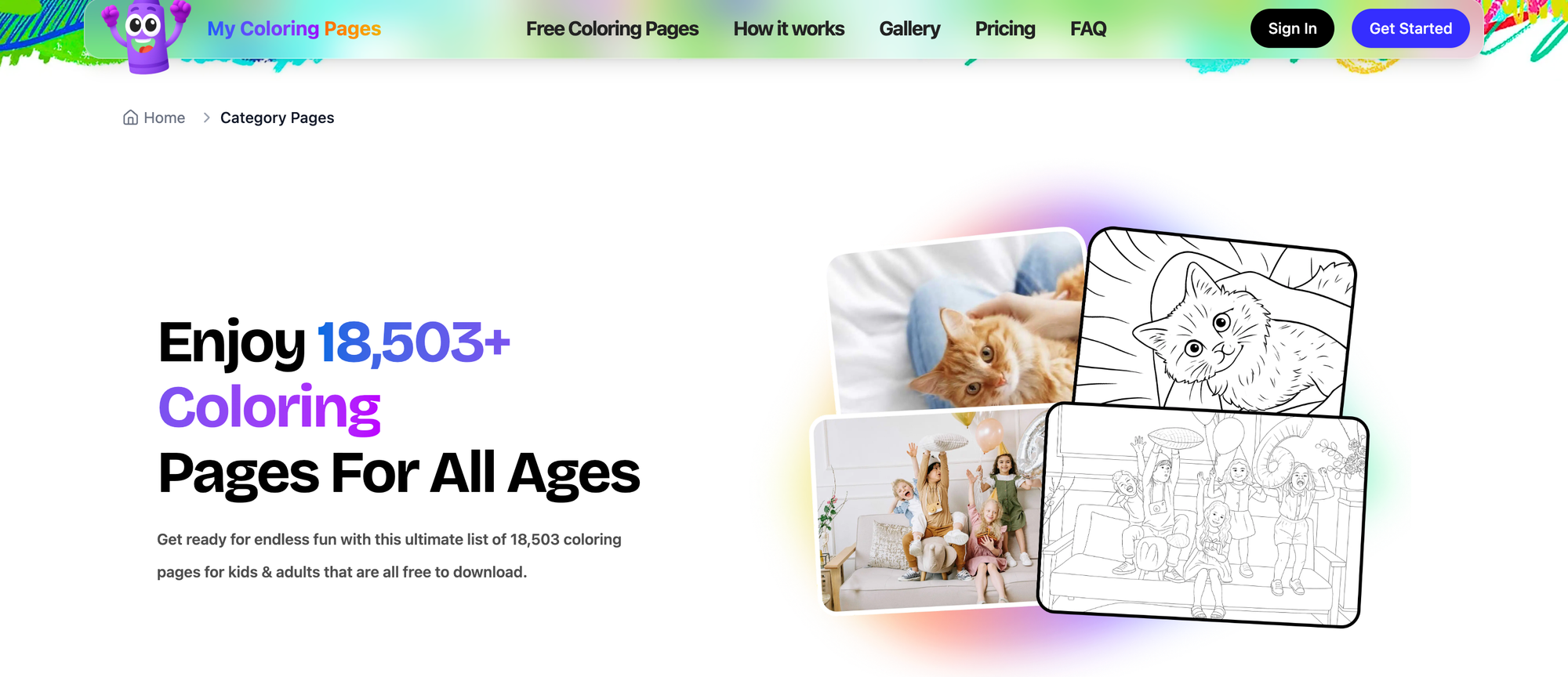
My Coloring Pages converts descriptions or photos into printable, custom coloring pages in seconds and offers a community library of over 18,000 designs. It’s built for parents and teachers who want quick, hands-on activities that support fine motor control and imaginative storytelling off-screen. Use it to create classroom activity books, individualized therapy sheets, or family craft nights.
- Fast customization from text prompts or image uploads
- Extensive downloadable library plus printable activity book creation
- Works well for lesson plans, occupational-therapy practice, and quiet craft time
Pricing: Free tier with community pages, premium options for advanced features; some templates behind a paywall
Platforms: Web (desktop and tablet friendly)
Device requirements: Any modern browser; PDF printing capability
Offline: Prints for offline play; no app download required
Parental controls: Content curated by community moderation, teacher/parent account settings
Limitations: Depends on home printer quality; advanced design features may require a subscription
2. ABCmouse.com: Best Overall App for Early Learning
Ages: 2–8
ABCmouse offers a broad, leveled curriculum with interactive games, videos, and activities across math, reading, science, and art, ensuring consistent, progressive preschool-to-primary learning. It’s a go-to when you want a single subscription to cover multiple foundational subjects with clear progression.
- Structured learning path across subjects
- Rewards and progress tracking for motivation
- Large activity and book library matching school skills
Pricing: One-month free trial, then about $10/month subscription
Platforms: iPad, iPhone, most Android tablets/phones
Device requirements: Up-to-date iOS or Android, decent storage for media
Offline: Limited offline content
Parental controls: Parent dashboard to monitor progress and set goals
Limitations: Subscription needed for full access; some parents find reward systems too gamified
3. Quick Maths: Best App to Improve Mathematics Ability
Ages: Grades 2–6
Quick Maths drills arithmetic fluency with time-based challenges and handwriting recognition so kids write answers naturally, blending speed and legibility practice. It’s ideal for students who need fluent recall and some pressure practice.
- Handwriting recognition for written answers
- Time challenges for speed building
- Progressive difficulty levels, adaptive play
Pricing: Free on App Store; may have in-app purchases
Platforms: iPhone, iPad
Device requirements: iOS device with touch input
Offline: Mostly playable offline
Parental controls: No account required, simple settings
Limitations: Time pressure may frustrate some learners; limited Android availability
4. Duolingo: Best Language Learning App
Ages: 10+
Duolingo gamifies language learning with short, repeatable lessons that practice reading, listening, speaking, and writing, making second-language exposure accessible. It fits well for independent practice or family challenges.
- Short, bite-sized lesson flows
- Speech practice and spaced repetition
- Large language catalog
Pricing: Free with ads; Duolingo Plus ad-free for approx $6.99/month
Platforms: iOS, Android, Web
Device requirements: Modern phone or tablet
Offline: Downloadable lessons on paid plan
Parental controls: Not kid-specific, use supervised accounts
Limitations: Not curated for young children under 10; some content relies on user input quality
5. YouTube Kids: Best App Made Just For Kids
Ages: 2–12
YouTube Kids filters and organizes video content into kid-friendly channels, with controls for viewing time and content limits so children can explore videos without encountering typical YouTube noise. Use it for visual lessons and short documentaries.
- Curated kids’ video feeds and categories
- Time limits and content blocking
- Profile-based preferences
Pricing: Free; optional YouTube Premium removes ads for a fee
Platforms: iOS, Android, smart TVs
Device requirements: Internet-connected device
Offline: Some offline features via Premium
Parental controls: Robust parental settings, blocking, and a timer
Limitations: Algorithmic recommendations can still surface questionable videos, so check settings regularly
6. SplashLearn: Learning that’s fun, effective, and personalized
Ages: PreK–Grade 5
SplashLearn offers math and ELA lessons aligned to Common Core with customized learning paths and teacher/parent progress reports. It’s effective for steady practice and for tracking measurable skill gains.
- Personalized practice paths and progress dashboards
- Gamified rewards and standards alignment
- Parent and teacher reporting
Pricing: 7-day trial, then pricing from $7.49/month when billed annually
Platforms: Web, iOS, Android
Device requirements: Tablet or desktop for the best experience
Offline: Limited offline features
Parental controls: Parent/teacher accounts and monitoring
Limitations: Full benefit requires subscription
7. CodeMonkey
Ages: 5+
CodeMonkey teaches fundamental coding concepts through game-based puzzles and progressive lessons, suitable for kids who like building games and want real-language exposure. It supports classroom use and self-paced learning.
- Real code practice with playful context
- Curriculum options for classrooms
- Progressive skill scaffolding
- Pricing: Free limited access; full access starting at about $7/month with discounts for annual
- Platforms: Web, iOS, and Android, coming soon
- Device requirements: Browser with keyboard support recommended
- Offline: No
- Parental controls: Teacher/parent dashboards for progress
- Limitations: Requires keyboard for best experience; mobile apps pending
8. Effling: Your Child's Gateway to Academic and Creative Excellence
Ages: 3–7
Effling adapts assessments into personalized learning paths, allowing teachers and parents to assign targeted quizzes and exercises that fill skill gaps. It’s useful for early assessment and focused practice.
- Adaptive assessments and personalized practice
- Supports math, science, language arts
- Real-time progress tracking for educators
Pricing: Free
Platforms: Android (iOS coming soon)
Device requirements: Android tablet or phone
Offline: Limited
Parental controls: Teacher and parent roles with access control
Limitations: Region rollout varies, global availability pending
9. Epic!: Best Unlimited Learning and Reading App
Ages: Kindergarten–12
Epic! gives on-demand access to a huge kids’ e-book and audiobook library, excellent for fostering reading habits and independent exploration. It’s convenient for long trips and bedtime reading with read-alongs.
- 40,000+ books, including audiobooks and read-alongs
- Personalized recommendations and tracking
- Classroom and family plans
Pricing: 30-day free trial, then $7.99/month
Platforms: iOS, Android, Web
Device requirements: Modern device with storage for downloads
Offline: Offline downloads for reading
Parental controls: Profiles and reading limits
Limitations: Subscription required for access to the full library
10. ClassDojo: Best Educational Communication App
Ages: Preschool–Elementary
ClassDojo connects teachers, parents, and students through updates, photos, and behavior tracking, making classroom communication transparent and simple. Use it to reinforce classroom routines at home.
- Behavior reports, messaging, and class portfolios
- Multimedia sharing and updates
- Classroom culture tools
Pricing: Free for teachers and families
Platforms: iOS, Android, Web
Device requirements: Smartphone or desktop
Offline: No
Parental controls: Parent accounts and privacy settings
Limitations: Not a direct learning app for kids; reliant on teacher adoption
11. Science 360: Best Science App for Kids
Ages: K–12
Science 360 aggregates high-quality science images, videos, and news from reputable institutions, delivering real-world science content that sparks curiosity. It works for supplementing lessons and topical projects.
- Curated images and videos from the scientific community
- Timely news and feature stories
- Wide subject coverage across STEM
Pricing: Free
Platforms: iOS, Android
Device requirements: Internet access for streaming
Offline: Limited
Parental controls: None special, use device-level restrictions
Limitations: Not gamified; more resources than a tutor
12. Spelling Stage: Best Spelling Challenges for Kids
Ages: Elementary–Middle
Spelling Stage gamifies spelling bees with audio and visual cues and lets users create custom word lists, useful for targeted vocabulary practice. It’s practice-friendly for both classroom and home spelling drills.
- Custom word lists and levels
- Spelling bee-style gameplay and audio cues
- Screen recording for review
Pricing: Trial available; 1 month $1.99, 3 months $5.99, 12 months $7.99
Platforms: iOS
Device requirements: iOS device
Offline: Works offline once the content is downloaded
Parental controls: Account controls and limits
Limitations: iOS only; premium needed for full word banks
13. Starfall ABCs: Best Alphabet App for Kids
Ages: 2–5
Starfall ABCs teaches letters through animation, songs, and games that make phonics memorable and interactive, ideal for pre-readers. Its simple interface suits independent exploration for little hands.
- Animated letter introductions and songs
- Games and puzzles tied to phonics
- Wide platform availability
Pricing: Free basic version, paid upgrade for full library
Platforms: Android, iPad, iPhone, iPod Touch, Kindle Fire
Device requirements: Tablet recommended
Offline: Some offline functionality
Parental controls: Basic settings to limit features
Limitations: Full content behind a subscription
14. Handwriting Success: Best App for Handwriting Practice
Ages: Early learners to advanced
Handwriting Success uses tablet stylus input to teach letter formation, offering the Getty-Dubay program digitally and supporting progressive practice. It’s a strong choice when handwriting fluency is a goal.
- Tracing, adjustable pen settings, and digital erasing
- Full Getty-Dubay curriculum built in
- Progression from beginner to advanced
Pricing: App free; workbooks and resources start at $12.99
Platforms: iOS, Android
Device requirements: Tablet and stylus for best results
Offline: Fully usable offline
Parental controls: Parent-managed practice profiles
Limitations: Best with a stylus; some resources cost extra
15. Lingokids: Best Safe Educational Platform
Ages: Preschool
Lingokids offers kidSAFE Seal-certified content with language learning activities, games, and songs focused on safety and early language skills. It’s reliable for guardians who prioritize safety and curriculum design.
- Certified kidSAFE safety standards
- Interactive games and songs for language learning
- Age-appropriate sequencing
Pricing: Free download with in-app purchases and subscriptions
Platforms: iOS, Android, Amazon Appstore
Device requirements: Tablet recommended
Offline: Limited offline content
Parental controls: Strong privacy and account protections
Limitations: Subscription needed for full access
16. Monster Math: Math Fluency for Kids
Ages: 5–9
Monster Math blends story-driven levels with curriculum-aligned math practice and a neuroinclusive design that removes timers and reduces stress for learners with attention differences. It’s a thoughtful alternative to drill apps.
- No-timer design, calming visuals, inclusive mechanics
- Story-based math challenges and strategy focus
- Curriculum alignment for K–3 skills
Pricing: Free with in-app purchases/subscription options
Platforms: iOS, Android
Device requirements: Tablet or smart device
Offline: Many levels are playable offline
Parental controls: Parent dashboard and play limits
Limitations: Some content is behind a subscription
17. Prodigy Math
Ages: Grades 1–8
Prodigy turns math practice into an adaptive, RPG-style game that aligns with curriculum standards and includes embedded assessments to support personalized learning. Teachers and parents can use diagnostics to target instruction.
- Curriculum-aligned problems and adaptive difficulty
- Embedded assessments and teacher tools
- Engaging game mechanics for motivation
Pricing: Free core; premium subscription for extras
Platforms: Web, iOS, Android
Device requirements: Tablet/desktop for ideal play
Offline: Limited offline capability
Parental controls: Parent/teacher accounts and reports
Limitations: Premium features gated behind a subscription
18. Pok Pok
Ages: 2–8
Pok Pok provides safe, non-addictive digital toys that encourage open-ended exploration with no ads and no required internet connection. Its simple, tactile design is perfect for unguided imaginative play.
- No ads and offline play
- Open-ended toy experiences, tactile interactions
- Quiet, non-competitive design
Pricing: Subscription with discounts, 25% off yearly, often available
Platforms: iOS, Android
Device requirements: Tablet recommended
Offline: Fully functional offline
Parental controls: No in-app purchases or external links
Limitations: Subscription fee for the whole library
19. Press4Kids (News-O-Matic)
Ages: Elementary
Press4Kids offers daily news articles written for children, vetted by child psychologists for appropriate language and context, and supports family discussion around real-world events. It’s a reliable way to introduce current events safely.
- Age-adapted journalism and vetted language
- Multimedia and classroom resources
- Encourages family conversations and civic literacy
Pricing: Subscription-based
Platforms: iOS, Android, Web
Device requirements: Modern browser or tablet
Offline: Some download features
Parental controls: Teacher/parent controls for content exposure
Limitations: Subscription required for full access
20. Stack the States
Ages: 7–12
Stack the States teaches geography by having players tap, drag, and stack animated state shapes while learning capitals, flags, and locations in a playful, kinesthetic way. It turns memorization into a tactile game.
- Interactive state stacking and mini-games
- Geography facts and capital challenges
- Bonus games unlocked by progress
Pricing: One-time purchase
Platforms: iOS, Android
Device requirements: Tablet or phone
Offline: Fully functional offline
Parental controls: Simple purchase control
Limitations: US-centric content only
21. Tinybop The Explorer’s Library
Ages: 4+
Tinybop apps are single-topic interactive models that let kids explore systems like weather, the human body, and ecosystems, often with rich visuals and discovery-driven play. They are great for project-based exploration and inquiry.
- Deep, single-topic interactive models
- Hands-on discovery and note-taking features
- Beautiful design with educational prompts
Pricing: Individual app purchases or bundle options
Platforms: iOS, some Android
Device requirements: Tablet recommended
Offline: Mostly offline once installed
Parental controls: No ads and no in-app purchases in many titles
Limitations: Each topic is a separate purchase
22. Winky Think Logic
Ages: All ages (family)
Winky Think offers progressive logic and spatial reasoning games for all ages with design that scales difficulty naturally, making it family-friendly. It builds observation and reasoning over sessions.
- Progressive puzzles that grow with the child
- Focus on spatial reasoning and logic
- Family-play friendly
Pricing: Free with paid options
Platforms: iOS, Android
Device requirements: Tablet or phone
Offline: Works offline
Parental controls: Basic settings
Limitations: Free version supported by ads
23. Khan Academy Kids
Ages: 2–8
Khan Academy Kids is a free, ad-free multi-subject curriculum with songs, books, and activities led by playful characters, making it a high-value, no-cost option for early learners. It’s a strong staple for equity-minded families.
- Completely free and ad-free
- Multi-subject lessons with engaging characters
- Teacher and parent progress tracking
Pricing: Free
Platforms: iOS, Android, Web
Device requirements: Tablet or phone for the best experience
Offline: Some offline features
Parental controls: Parent/teacher accounts and settings
Limitations: Broad but less gamified than subscription apps
24. PBS KIDS Games
Ages: 2–8
PBS KIDS Games connects curriculum-aligned games to beloved characters, which helps children practice math, science, and social skills through familiar narratives. It’s perfect for reinforcing lessons from PBS shows.
- Character-driven educational games
- Curriculum alignment and free content
- Safe and ad-free
Pricing: Free
Platforms: iOS, Android, Web
Device requirements: Tablet or phone
Offline: Many games are playable offline
Parental controls: Limited, but family safe
Limitations: Game variety tied to the show roster
25. Thinkrolls
Ages: 3–9
Thinkrolls teaches logic and physics through maze puzzles that gradually introduce concepts such as buoyancy and momentum, making it great for young problem-solvers. It scaffolds complexity across dozens of levels.
- Physics-based puzzles and logic progression
- No language barrier, icon-driven challenges
- Safe, ad-free gameplay
Pricing: Paid or freemium variants depending on platform
Platforms: iOS, Android
Device requirements: Tablet recommended
Offline: Fully offline
Parental controls: No ads in paid versions
Limitations: Limited multiplayer or social features
26. Homer
Ages: Preschool–Early elementary
Homer personalizes reading and early literacy with interest-based stories, phonics, and vocabulary practice that adapts to each child’s level. It blends play with measurable literacy outcomes.
- Personalized reading pathways
- Phonics and vocabulary mixed with stories
- Parent dashboard and lesson builders
Pricing: Subscription-based with free trial
Platforms: iOS, Android, Web
Device requirements: Tablet recommended
Offline: Some downloadable content
Parental controls: Parent account and timers
Limitations: Subscription needed for full path
27. Teach Your Monster to Read
Ages: 4–7
Teach Your Monster to Read uses a charming adventure to teach phonics and decoding skills, with progress aligned to early reading benchmarks. It works especially well for reluctant beginners.
- Award-winning phonics curriculum in game form
- Customizable monster characters to motivate play
- Structured progression through sounds and words
Pricing: Free on web; small fee for mobile versions
Platforms: Web, iOS, Android
Device requirements: Any modern browser or mobile device
Offline: The Mobile app can work offline after installation
Parental controls: No ads, simple settings
Limitations: Focused on early phonics only
Status quo disruption: why printable materials still matter
Most families rely on a handful of apps because it is familiar, and that usually works for quick quiet time. The hidden cost is that habit builds around passive consumption and one-size-fits-all pacing, which fragments practice and leaves teachers or parents rebuilding momentum later. Platforms like My Coloring Pages, with 18,082+ free coloring pages and instant printable customization, give families a simple bridge, turning a ten-minute screen break into a targeted, hands-on activity that builds motor skills and extends learning beyond the device.
Creative, art, and storytelling apps
28. Crayola Create and Play
Ages: 3+
Crayola Create and Play brings Crayola tools into a kid-safe digital studio to practice coloring, drawing, and simple games that encourage art exploration. It mirrors physical materials so kids can transfer skills to paper easily.
- Drawing, coloring, and virtual crafts tied to real-world Crayola tools
- Safe, kid-friendly interface
- Regular content updates
Pricing: Free with in-app purchases
Platforms: iPhone, iPad, Android
Device requirements: Tablet recommended
Offline: Some offline functionality
Parental controls: Purchase restrictions and profiles
Limitations: Full content behind a subscription
29. Bimi Boo Kids Academy
Ages: 3+
Bimi Boo offers a large library of curriculum-style games and activities aimed at preschool skills, with simple navigation. It packs many early learning topics into one place.
- 1,700+ games across numeracy, literacy, and motor skills
- Bright, child-friendly interface
- Progress tracking for parents
Pricing: Free download with subscription tiers
Platforms: iOS, Android
Device requirements: Tablet recommended
Offline: Some activities offline
Parental controls: Profiles and purchase control
Limitations: Ads in the free tier, subscription for full access
30. Applaydu
Ages: 3+
Applaydu uses augmented reality to bring toys to life with mini-games that build memory, rhythm, and motor skills, blending physical and digital play. It’s playful and sensory-rich for younger kids.
- AR-enhanced interaction with Kinder Joy-inspired toys
- Mini-games for cognitive and motor practice
- Imaginative storytelling elements
Pricing: Free with paid features
Platforms: iOS, iPadOS, Android
Device requirements: AR-capable device recommended
Offline: AR features require a camera but can be used without internet
Parental controls: In-app purchase protection
Limitations: Requires a camera and sufficient device specs
31. Reading Eggs
Ages: 4+
Reading Eggs mixes interactive lessons, guided reading, and over 2,000 storybooks to help children learn to read in a self-paced program. It’s ideal for accelerating pre-K to early elementary literacy.
- Guided lessons, interactive games, and a large ebook library
- Progress tracking and rewards
- Suitable for struggling readers and early learners
Pricing: Free trial; yearly family plans from around $59
Platforms: iOS, Android, Web
Device requirements: Tablet or desktop
Offline: Some content is downloadable
Parental controls: Parent dashboard and reading limits
Limitations: Paid subscription yields full benefit
32. LetterSchool
Ages: 4+
LetterSchool teaches letter and number writing with an animated, three-step tracing method that builds handwriting fluency through interactivity. It’s focused and tactile for early writers.
- Stroke starts, tracing, and independent writing stages
- Clear animations and feedback
- Progress levels and rewards
Pricing: Monthly $9.99, Annual $49.99
Platforms: iOS, Android
Device requirements: Tablet with touch screen recommended
Offline: Largely offline
Parental controls: Parental account with progress reports
Limitations: Subscription required for full access
33. Sesame Street
Ages: Preschool
Sesame Street’s app offers games, songs, and videos anchored in socio-emotional learning and early literacy, using familiar characters to make routines feel safe. It’s comforting and developmentally grounded.
- Over 100 games and songs across topics
- Focus on emotional learning and foundational skills
- Familiar characters for engagement
Pricing: Free
Platforms: iOS, Android
Device requirements: Tablet or phone
Offline: Some content is downloadable
Parental controls: Basic device-level controls
Limitations: Not a comprehensive curriculum, but significant for reinforcement
34. Fish School
Ages: 2–5
Fish School turns letters, shapes, and numbers into friendly fish characters to help preschoolers with matching, pattern spotting, and counting. It’s a playful primer for early concepts.
- Colorful, simple games teaching basics
- Engaging animated feedback and repetition
- Lightweight app with short activities
Pricing: Paid app or freemium, depending on platform
Platforms: iOS, Android
Device requirements: Tablet or phone
Offline: Offline functionality after install
Parental controls: No ads in paid versions
Limitations: Limited depth beyond preschool basics
35. Astroblast Rocket Rush
Ages: Preschool
Astroblast Rocket Rush ties to the Astroblast show and sends kids on space missions with upgrades and light challenges that reward sequence thinking. It’s entertaining and short-session friendly.
- Space mission progression and upgradeable parts
- Themed tie-ins for narrative motivation
- Short, replayable missions
Pricing: Varies by platform.
Platforms: Amazon
Device requirements: Fire devices recommended
Offline: Some play offline after downloading
Parental controls: Purchase controls
Limitations: Branded content limits replay variety
36. Sushi Monster
Ages: 7–12
Sushi Monster blends addition and multiplication practice into arcade-style feeding games that reward accuracy and speed. It’s compact and focused for math fact fluency.
- Timed arithmetic rounds with points and trophies
- Clear feedback and level progression
- Encourages mental math
Pricing: Free or low-cost on App Store
Platforms: iOS
Device requirements: iPhone or iPad
Offline: Fully offline
Parental controls: Simple device restrictions
Limitations: Narrow scope, best as a drill supplement
37. Libby (free)
Ages: Older kids and teens
Libby lets families borrow ebooks and audiobooks from local libraries for free, making high-quality reading accessible without extra cost. It’s an outstanding value when paired with library cards.
- Free borrowing of ebooks and audiobooks with a library card
- Supports large-format and children’s collections
- Syncs across devices
Pricing: Free with libra ary card
Platforms: iOS, Android, Web
Device requirements: Internet connection for borrowing; offline downloads available
Offline: Yes, downloaded books are available offline
Parental controls: Set library filters and content limits
Limitations: Selection depends on local library holdings
38. Hooked on Phonics
Ages: Pre-K–Early elementary
Hooked on Phonics digitizes a proven phonics curriculum into interactive lessons and ebooks, useful for structured, sequential reading instruction at home. It is methodical and teacher-aligned.
- Systematic phonics lessons and guided reading
- Games and ebooks integrated with lessons
- Regular promotions make subscriptions affordable
Pricing: Subscription-based with frequent promos
Platforms: iOS, Android
Device requirements: Tablet recommended
Offline: Some downloadable content
Parental controls: Parent accounts and progress tracking
Limitations: Subscription required
39. Doodle Buddy (free)
Ages: All ages
Doodle Buddy provides a blank canvas, stickers, and stamps for open-ended drawing and photo doodling, perfect for quick creative breaks and family sharing. It’s simple and immediate.
- Easy brushes, stamps, and photo doodling
- Great for free play and sharing creations
- Simple interface for all ages
Pricing: Free; may have ads
Platforms: iOS
Device requirements: iPhone/iPad
Offline: Fully offline
Parental controls: Ads may appear unless blocked
Limitations: Ads in the free version
40. Draw and Tell (free)
Ages: 3–8
Draw and Tell combines drawing tools with voice recording so kids can create and narrate stories, which supports expressive language and sequencing. Recording playback turns drawings into mini-shows.
- Draw, add stickers, and record narration for playback
- Encourages storytelling and language practice
- Award-winning and child-friendly
Pricing: Free
Platforms: iOS
Device requirements: iPad or iPhone recommended
Offline: Mostly offline
Parental controls: No ads
Limitations: iOS only
41. Kids Doodle / Joy Doodle
Ages: 3+
Kids Doodle and Joy Doodle let kids draw neon-glow art on a dark canvas for bold, simple creativity that appeals to sensory play. It is light, immediate, and significant for screen-free printing later.
- Neon brushes, many brush styles, and effects
- Simple, no-friction drawing experience
- Free but ad-supported
Pricing: Free with ads
Platforms: Android (Kids Doodle), iOS (Joy Doodle)
Device requirements: Tablet or phone
Offline: Works offline
Parental controls: Ads present in the free version
Limitations: Ads and limited advanced tools
42. Drawing with Carl
Ages: 4+
Drawing with Carl combines mirror drawing, talking stickers, and photo-drawing for playful and slightly silly creative experiments. It encourages exploration and laughter in art.
- Mirror modes, pattern tools, and talking stickers
- Photo drawing and repeat effects
- One-time purchase model
Pricing: One-time purchase
Platforms: iOS
Device requirements: iPad recommended
Offline: Works offline
Parental controls: No in-app purchases typically
Limitations: iOS only
Financial literacy and chores
43. Greenlight
Ages: 6–18
Greenlight offers a debit card for kids that includes chore management, savings goals, and parental controls, teaching real-money habits through hands-on use. It blends allowance with practical banking lessons.
- Prepaid Mastercard for kids, chore tracking, goals
- Robust parental controls and spending rules
- Financial education features are built in
Pricing: Monthly fee
Platforms: iOS, Android
Device requirements: Smartphone for parent and teen
Offline: Card usable offline, app needs data
Parental controls: Extensive
Limitations: Monthly cost
44. Acorns Early (formerly GoHenry)
Ages: 6–18
Acorns Early gives kids a personalized Visa, an automated allowance, and in-app financial missions to build money skills and investing exposure. It merges banking with gamified financial literacy.
- Personalized card, Money Missions, and investing features
- Parent-managed allowances and tasks
- Financial education games
Pricing: Monthly fee
Platforms: iOS
Device requirements: Smartphone
Offline: Card works offline
Parental controls: Strong controls
Limitations: Fee-based
45. BusyKid
Ages: 5+
BusyKid uses chores for allowance management and links to a prepaid Visa, letting kids earn, save, and spend under parental oversight. It’s a practical allowance system tied to real money actions.
- Chore tracking, real prepaid card, family management
- Save, spend, donate, and invest options
- Parent-controlled payouts
Pricing: Subscription-based
Platforms: iOS, Android
Device requirements: Smartphone
Offline: App needs a connection for sync
Parental controls: Full parental control over all flows
Limitations: Subscription fee
46. FamZoo
Ages: 4+
FamZoo acts like a virtual family bank with split accounts and prepaid cards or IOU tracking, teaching budgeting, interest, and goal-setting. It works whether or not a family has smart devices.
- Split accounts for save/spend/give, parental-paid interest
- Prepaid card support and IOU options
- Web and mobile access
Pricing: Monthly subscription
Platforms: Web, iOS, Android
Device requirements: Any modern browser or mobile device
Offline: Cards can be used offline
Parental controls: Strong parental oversight
Limitations: Subscription required
47. Step
Ages: Teens
Step offers a free Visa-like card that supports direct deposit, peer-to-peer payments, and a path to credit building for teens with no monthly fee, helping older kids learn real banking basics. It is youth-focused and practical.
- Free card, direct deposit, and peer-to-peer transfer features
- Teen-friendly financial tools and security
- No monthly fee
Pricing: Free
Platforms: iOS, Android
Device requirements: Smartphone
Offline: Card works offline
Parental controls: Parent-managed features
Limitations: Geographical availability may vary
Writing, tutoring, and advanced skill builders
48. Night Zookeeper
Ages: 6+
Night Zookeeper gamifies writing with interactive lessons, collaborative projects, and personalized tutor feedback, ideal for reluctant writers who need immersive motivation. It emphasizes creative composition and offers teacher tools.
- Personalized feedback from tutors, gamified writing prompts
- Full Language Arts curriculum with teacher dashboards
- No ads and strong privacy
Pricing: Risk-free 7-day trial, subscription thereafter
Platforms: Web
Device requirements: Desktop or tablet for best input
Offline: No
Parental controls: Parent dashboard and assignment control
Limitations: Subscription required
49. Brighterly
Ages: K–Grade 8
Brighterly connects students with live math tutors who use custom tools and game-like activities to build understanding quickly; it’s tutor-first rather than self-study. They claim measurable improvement early in use.
- Live one-on-one math tutoring with experienced tutors
- Gamified lessons and custom tools
- Guarantees on early results
Pricing: Per-lesson or subscription models
Platforms: Web, possible mobile access
Device requirements: Stable internet and a camera for live lessons
Offline: No
Parental controls: Session summaries for parents
Limitations: Cost of live tutoring
50. DragonBox Math
Ages: 4–9
DragonBox uses game mechanics to teach algebraic thinking and arithmetic without traditional drills, making abstract concepts feel like play. It’s award-winning for making deep math accessible.
- Game-based algebra and geometry learning
- Level-based progression with minimal testing
- Beautiful visuals and engaging mechanics
Pricing: Paid apps per title
Platforms: iOS, Android
Device requirements: Tablet or phone
Offline: Mostly playable offline
Parental controls: No ads, single-purchase model
Limitations: Each topic is often sold as a separate app
51. Step (Banking for Teens)
Ages: Teens
Step provides a no-fee Visa-style card that teaches teen banking basics, with features for direct deposits, peer payments, and a path to build financial responsibility. It’s practical for older kids starting their own income.
- Free card, banking features, instant spend tracking
- Controls for parents with teen autonomy
- Peer payment and savings tools
Pricing: Free
Platforms: iOS, Android
Device requirements: Smartphone for app access
Offline: Card usable offline
Parental controls: Parental oversight options
Limitations: Limited investment options compared to other fintechs
52. Night Zookeeper (duplicate item removed and merged above)
Ages: 6+
(See item 48. This entry was consolidated to avoid repetition.)
53. Brighterly (duplicate removed and merged above)
Ages: K–8
(See item 49. Consolidated to avoid repetition.)
54. DragonBox Math (duplicate covered above)
Ages: 4–9
(See item 50. Consolidated to avoid repetition.)
A short note on tradeoffs and device logistics
Which devices should you prioritize? Tablets for early learners, and a mix of tablet plus desktop for tutoring and deep reading, while phones are fine for short drills. Review the storage and OS version notes in each app listing; older tablets often struggle with resource-intensive AR or video apps.
Quick pairing tips for busy parents
- Match session length to app design: narrative games and reading do best in 15–30 minute blocks, micro-drill apps work in 5–10 minute bursts.
- Use account and device restrictions to prevent accidental purchases, and keep a parent dashboard for progress checks.
- When an app lacks offline play, schedule usage for home with Wi-Fi to avoid mid-session interruptions.
A brief anecdote about fit
When a first-grade teacher swapped one weekly generic game for a two-minute custom coloring sheet reinforcing the same letter focus, students who were restless in the app sat longer, traced more carefully, and retained the letter sound for days, demonstrating how a small printable can amplify a digital lesson.
That frustrating part? Choosing the wrong app feels harmless until it quietly reshapes habits and replaces real practice with passive scrolling.
But the real challenge is what happens next, and that’s where the next section takes us.
Related Reading
- Drawing Websites for Kids
- Best Educational Websites for Kids
- Art Websites for Kids
- Safe Websites for Kids
- List of Websites to Block for Kids
- Cool Websites for Kids
- Reading Apps for Kids
- Best Learning Apps for Kids
- Best Learning Games for Kids
- Math Apps for Kids
How to Create a Healthy App Routine for Your Kids

Intentional structure turns apps from impulse drags into short, reliable learning moments you can weave around the rest of childhood. With clear windows, predictable routines, and simple enforcement scripts, apps support skills without replacing play, sleep, or conversation.
Why structure matters more than app lists
Pattern recognition: most parents try quick fixes like passworded parental controls because they work fast, but those stop working as children learn workarounds or when stress spikes. When we coached ten busy families over six weeks, locking timers was an immediate fix. Still, friction returned within days unless a social routine and follow-up activity were in place. That mismatch explains why concern is great while consistent rules are rare, since in 2025, Pew Research Center, 70% of parents are concerned about the amount of time their children spend on screens, and in the same year, the American Academy of Pediatrics, only 23% of parents set consistent screen time limits for their children. Those numbers show the emotional pressure and the practical gap you need to close.
Five practical strategies that actually work
1. Fixed daily windows with anchor activities
Create two or three predictable windows per day tied to real routines, not feelings. Example: after breakfast, a 20-minute “skill slot” for reading or language apps; after school, a 30-minute “project slot” for creative or coding apps; pre-bedtime, a 15-minute wind-down with audio stories only. Anchor each window to a physical cue, like setting the puzzle on the table or placing art supplies next to the tablet, so the device becomes one step in a larger habit chain rather than the default.
2. App rotation schedule, not app hoarding
Instead of letting a single app dominate, use short multi-day rotations: two educational apps, one creative app, and one free-choice app across a four-day cycle. Keep each session tied to a learning goal, for example, “today is vocabulary practice” or “today we build a tiny story.” Rotate with a visible board or simple calendar so kids see what’s coming; predictability reduces begging and makes transition more manageable.
3. Balance rules, not math
Set a family rule that balances categories, for example: one skill session, one creative session, one social or family session per weekday. Write it down and treat it like a class schedule. That prevents entertainment apps from crowding out practice, and it keeps the “Best Apps for Kids” you select aligned to development goals rather than convenience.
4. Use apps as micro-tools during transitions
Turn waiting times into micro-lessons or printable follow-ups, not default screen time. For a 10-minute car wait, allow an audio story or an app with a 5-minute activity, followed by a 5-minute printable exercise you can pull up and print quickly. Over time, kids learn that device use has an endpoint and a handoff to something tactile.
5. Co-engage, then fade to independence
Begin a new app with adult co-play for two to three sessions, asking guiding questions and modeling how to stop. After that, use a fade plan: session one co-play, session two side-by-side, session three independent with a check-in. This reduces meltdowns at shutdown because the child has internalized the stop ritual.
Monitor behavior, not just minutes.
Use app dashboards and weekly check-ins to watch patterns, not only daily totals. Look for red flags: late-night spikes, rapid increases in session frequency, or the device being used as the first request when bored. If patterns appear, pause the app for 48 hours and replace it with a printable activity that practices the same skill, then reassess together.
Concrete routines, scripts, and schedules you can use today
Sample weekday schedule by age
- Preschool (3–5): morning creative printout 10–15 minutes, afternoon app play 15–20 minutes tied to motor or language skill, evening read-aloud 10 minutes.
- Early elementary (6–8): before-school phonics app 15–20 minutes, after-school project app 20–30 minutes plus a 10-minute printable follow-up, bedtime story audio 15 minutes.
- Tweens (9–12): focused practice block 30–45 minutes (math or language), one 20–30 minute creative or coding session, plus one hour max of social/entertainment content in the evening on agreed days.
Transition scripts to reduce conflict
- Five-minute warning: “You have five minutes left; pick one thing to finish and show me.”
- Choice language: “You can finish this level now and then print a quick worksheet, or save the level for tomorrow and draw one idea from the game.”
- Calm reset: “Timer’s done. We’ll clean up and do two minutes of breathing, then print your favorite screen moment.”
Conversation starters that make digital time meaningful
- “Show me two facts you learned and one thing you want to try on paper.”
- “If you had to teach this to your sibling in three minutes, what would you say?”
- “Pick one color or shape from the app and make a drawing that uses it.”
Enforcement techniques that reduce battles
Use predictable consequences and short, recoverable penalties. Examples: missed screen time becomes a choice between a printable project or no screen time the next day; three late shutdowns trigger a 48-hour app pause with a planned replacement activity. Pair each enforcement with a quick restorative routine, like a family planning five-minute meeting to renegotiate the schedule.
Detecting trouble early and stepping in
Look beyond minutes: watch mood, sneakiness, and sleep disruption. If an app’s use coincides with irritability or late nights, step in immediately with a brief suspension and a replacement printable exercise tied to the same topic. Schedule a three-day reset, then rebuild use with stricter windows and co-play.
Status quo disruption: a faster bridge from habit to hands-on practice
Most families rely on timers and parental locks because they are immediate and require no prep, which is understandable. That approach fails when apps become habit anchors and replace offline practice, causing more battles and backsliding. Solutions like My Coloring Pages, a web-based custom coloring page creator with an extensive downloadable library and instant printable output, provide a low-friction bridge, giving parents and teachers printable follow-ups and targeted worksheets in seconds, so a short app session leads directly into hands-on practice and calmer transitions.
How to run a one-week experiment that proves the system
Try a seven-day trial with these constraints: fixed windows, two-app rotation, one printable follow-up per session, and daily five-minute family reflections each evening. Track ease of transitions and arguments on a three-point scale. If conflicts drop by at least two points by day five, keep the system and extend the printable follow-up habit.
That simple experiment surfaces one hard truth you will want to explore next.
Download 18,082+ FREE Coloring Pages
When you need a fast, screen-free follow-up to the best apps for kids, we recommend My Coloring Pages (18,082+ free coloring pages), which turns a short description or a photo into a ready-to-print coloring page in seconds. Use it like a pocket art studio to extend digital lessons into focused, hands-on practice that keeps kids creating, supports fine-motor and storytelling work, and calms classroom or home routines.
Related Reading
- Music Apps for Kids
- Best Apps for 6-Year-Olds
- Best Apps for Kids
- Best Coding Apps for Kids
- AI Tools for Kids
- Language Learning Apps for Kids
- Best Drawing Apps for Kids