15 Best AI Learning Apps for Kids
AI learning apps for kids ranked by My Coloring Pages. Find 15 tools that teach real skills through play. See which ones are worth it.

AI learning apps for kids have reshaped how children practice math, build reading skills, and explore creative subjects at home. Parents are increasingly asking which tools deliver real results and which ones simply look impressive on a screen. The honest answer depends on how these apps are used, what they do well, and where they fall short.
Digital tools work best when paired with hands-on activities that reinforce the same skills away from a screen. Coloring pages and printable worksheets are a practical and low-effort way to bridge that gap, helping kids absorb concepts like letter recognition, number sense, and creative thinking in a different format. Parents and teachers looking for ready-made options can download 75,000+ free customized coloring pages from My Coloring Pages without a subscription or complicated setup.
Table of Contents
- Is AI Learning Suitable for Kids?
- 12 Real Benefits of AI Learning for Kids
- When AI Starts Doing Too Much of the Thinking
- How to Use AI for Kids' Learning in 15 Ways
- 15 Best AI Learning Apps for Kids
- Which AI Learning App Should You Choose?
- Don’t Choose an AI Learning App Until You Know What You Want It to Help With
Summary
- AI learning apps are genuinely suitable for children when they are designed to keep the child doing the cognitive work rather than doing it for them. Research from New Zealand's Education Review Office found that about 1 in 3 schools were already actively exploring or using AI tools with students, reflecting a broader recognition among educators that the technology itself is not the problem. The real distinction is between tools that scaffold learning and tools that substitute for it.
- Adaptive pacing is one of the clearest advantages these tools offer. When an AI system adjusts difficulty in real time based on what a child actually understands rather than where the curriculum assumes they should be, learning outcomes improve substantially. Studies cited by Engageli found that students using AI-powered tools showed up to a 30% improvement in learning outcomes, reflecting what happens when pacing becomes responsive rather than fixed.
- The risk of over-reliance is real and measurable. An MIT study reported by TIME found that brain activity was significantly lower in participants who used ChatGPT to complete SAT essays compared to those who wrote without AI assistance. The concern is not that children use these tools, but that when AI becomes step one rather than step three in a child's process, the mental effort that builds lasting retention quietly disappears.
- Children themselves are aware of the tradeoff. A RAND Corporation survey reported in Education Week found that nearly 70% of middle and high school students say they are concerned that using AI for schoolwork is eroding their critical thinking skills. That level of self-awareness suggests the dependency pattern is noticeable even to those experiencing it, making adult framing and clear usage rules more important than restrictions alone.
- The most effective use of AI in children's learning follows a consistent pattern: the child attempts first, AI provides a targeted hint rather than a complete answer, the child tries again, and AI support decreases over time as ability grows. According to AIPRM's AI in Education Statistics, students using AI tools scored 40% higher on personalized learning assessments, with the strongest gains coming when AI was used to test and extend thinking rather than simply deliver information.
- Sixty percent of teachers believe AI will significantly impact education in the next five years, according to AIPRM, and the precision with which these tools can identify specific skill gaps is a central reason why. An AI system can detect a recurring error pattern in seconds that might take a teacher three homework sets to notice, making targeted practice far more efficient than broad repetition.
- My Coloring Pages's Download 75000+ Free Customized Worksheets fits into this approach by letting children take what they engaged with digitally and complete it offline, with a pencil and their own decisions, keeping cognitive ownership where learning research suggests it should be.
Is AI Learning Suitable for Kids?
AI learning apps can work exceptionally well for kids when they're well made, and adults help guide them. The technology itself is not inherently good or bad—what matters is whether the app makes the child think, or if it just does the thinking for them.
"The most important question to ask about any AI learning tool is not what it teaches — but how it engages the child's own thinking process." — Educational Technology Research
🎯 Key Point: The app's quality and the presence of adult guidance are the two most critical factors in determining whether AI learning is beneficial for children.
💡 Tip: Before choosing an AI learning app for your child, ask one essential question — does this app prompt the child to reason, or does it simply deliver answers? That single distinction makes all the difference.
⚠️ Warning: Not all AI learning tools are created equal. Apps that passively deliver content without encouraging active thinking can actually hinder learning development rather than support it.

Does AI learning make kids intellectually passive?
The fear that AI makes children intellectually passive misidentifies the problem. The issue is not AI learning itself, but AI that circumvents struggle. Well-designed adaptive learning platforms, intelligent tutoring systems, and personalized feedback tools operate differently: they maintain cognitive engagement, adjust difficulty, and intervene only when necessary. According to the ERO's Ready or Not: How Are Schools Responding to Artificial Intelligence summary report, around 1 in 3 schools were actively exploring or using AI tools with students—educators working with children daily are learning to deploy this technology deliberately.
The critical difference is between AI that scaffolds and AI that substitutes. A scaffold holds the structure up while the child builds; it does not build for them. The best educational AI apps detect where a child is stuck, offer the smallest useful hint, and step back. That loop of attempt, feedback, and retry is where real learning happens. It mirrors what a skilled one-on-one tutor does, except it is available at 7 pm on a Tuesday when no tutor is.
What should kids actually be doing during screen time?
The more useful question is not how long a child spends with an educational app, but what the child is being asked to do during that time. Passive consumption and active problem-solving can both happen on the same device. The friction point appears when kids shift into passive answer-retrieval mode without noticing. Download 75,000+ Free Customized Coloring Pages from My Coloring Pages offers something different: our platform takes what a child engages with digitally and gives it physical form—a printed worksheet that requires a pencil, a decision, and a hand. The screen closes. The thinking continues.
How does adult guidance change the way kids use AI?
More than 50% of school leaders felt unprepared to guide staff and students on AI use, according to the ERO report. This gap matters because unsupervised AI use without adult guidance or clear rules can foster dependency. When a parent or teacher sets a simple rule—try it yourself first, then ask for one hint, not the answer—everything changes. The child stays in control, and the AI becomes the tool.
AI learning works well for kids when it requires more thinking from the child than it provides. That standard rules out many apps and supports the ones worth using.
Related Reading
- Kids Learning
- Best Learning Games For Kids
- What Are Fun Learning Activities for Kids?
- How to Help Kids With Learning Difficulties
12 Real Benefits of AI Learning for Kids
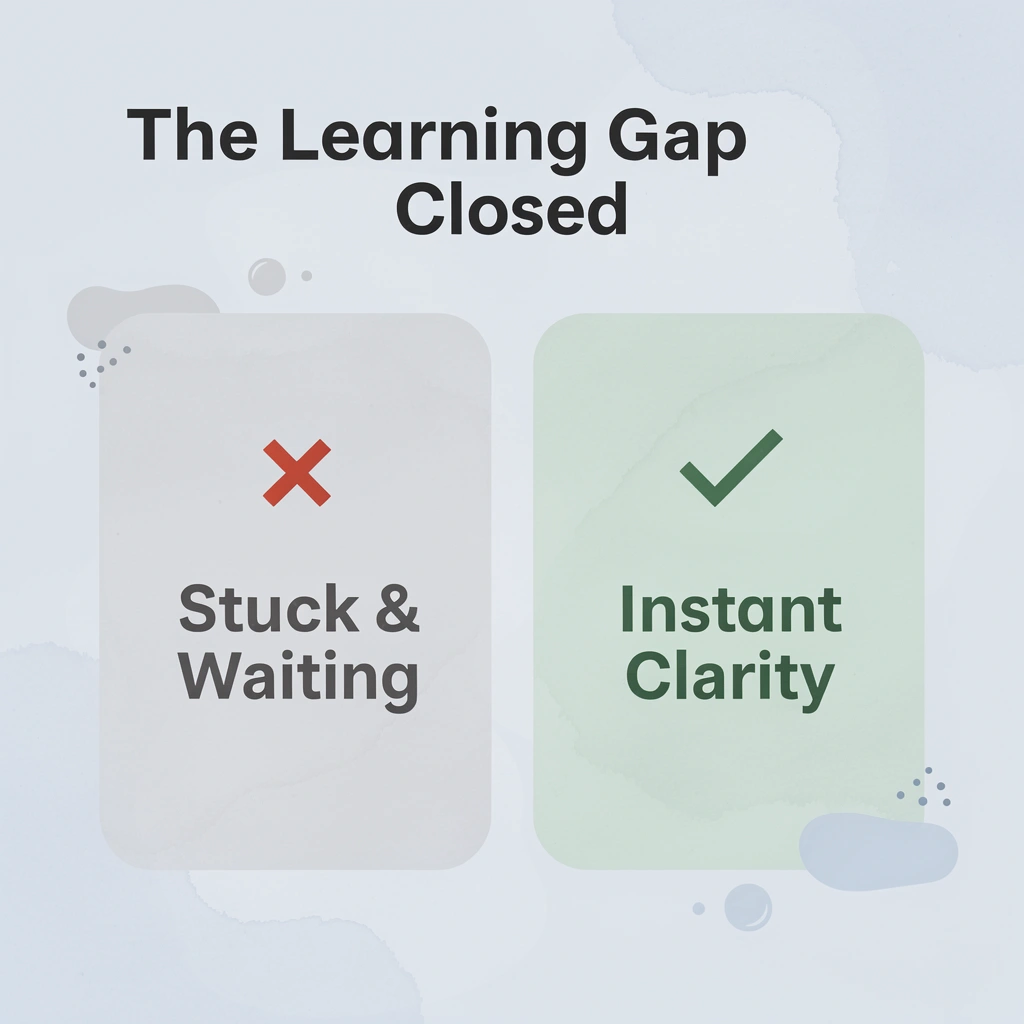
AI learning tools close the gap between when a child gets stuck and when they receive help—the critical space where confidence erodes. The twelve benefits below show how the right tools eliminate it.
"The moment between confusion and clarity is where learning is won or lost — AI learning tools are designed to close that gap instantly." — AI in Education Research
🎯 Key Point: The single biggest threat to a child's learning confidence is the waiting gap — the time between getting stuck and receiving support. AI tools eliminate this gap entirely.
💡 Tip: As you explore the twelve benefits below, consider which gaps in your child's current learning experience each one directly addresses.
1. When the lesson moves on but your child hasn't
The most common failure point in traditional learning is timing. A child misunderstands one step, the class moves forward, and that evening's homework assumes knowledge the child never built. AI-powered learning tools can intervene at the exact moment confusion occurs, not the next morning when the opportunity has closed.
A small conceptual gap in week two can prevent a child from accessing week six. Personalized learning platforms and adaptive learning apps break that chain by offering alternative explanations, simpler examples, or targeted hints before the child dismisses the subject as "not for them."
2. No more one-speed classrooms
The same lesson speed that bores one child overwhelms another. Intelligent tutoring systems understand where a child is, not where the curriculum assumes they should be. A child who grasps a concept quickly gets harder questions; one who needs more time gets more practice in a different format.
According to Engageli's AI in Education Statistics, students using AI-powered tools show up to 30% improvement in learning outcomes. When pacing becomes responsive rather than fixed, children stop fighting the lesson speed and start learning.
3. The quiet cost of undetected mistakes
When a child practices ten math problems using the wrong method, they have reinforced one mistake ten times. AI-based feedback systems catch the error after the first attempt and redirect the child before the incorrect approach becomes automatic. This correction is faster and earlier, so the child spends less time unlearning and more time building on solid ground.
4. A judgment-free space to ask again
Children who stay quiet in class rather than admit confusion are managing social risk. Asking a question in front of peers who seem to have finished carries a real cost, and many children decide that cost is too high.
AI learning apps remove that calculation completely. A child can ask the same question five different ways at midnight without anyone watching. That private access to explanation is why some children engage with AI tools in ways they never do in a classroom.
5. One explanation is rarely enough
Most explanations don't work the first time for many learners. A textbook explains fractions one way, a teacher another. Neither might suit a specific child's way of thinking.
AI-driven educational platforms can try different comparisons, visual walkthroughs, step-by-step breakdowns, and problem types until something clicks. The child stops seeing confusion as evidence of incapability and starts treating it as a signal to try a different approach.
6. Practice that targets the actual gap
More practice isn't always better practice. A child who understands eight out of ten concepts and spends an hour reviewing all ten wastes that time. Adaptive learning systems identify which two concepts need work and focus practice there.
Parents often watch their child complete worksheet after worksheet without improvement. The issue isn't effort; it's direction. Targeted practice replaces broad repetition with efficiency: fewer questions aimed at the actual gap.
7. Making repetition feel less like a punishment
Kids need to practice things repeatedly to improve, but traditional repetition—doing the same thing the same way until it works—can diminish interest and hinder learning.
AI learning tools can change the situation, format, and method of teaching a skill while preserving its core concept. The same multiplication principle appears in a shopping scenario, then a puzzle, then a game. The child applies the same thinking across different contexts, mirroring how real understanding develops.
8. Support that doesn't require parents to know everything
Most parents cannot explain long division the way their child's teacher expects it or walk through grammar using the curriculum's words and ideas. AI tools can serve as a layer of support between parent and school. The parent redirects: "Let's ask the learning tool to show us another way." The child gets a fresh explanation while the parent stays involved without becoming an instant expert in every subject.
Parents seeking hands-on involvement can make learning tangible away from screens. Platforms like My Coloring Pages let parents and children generate and print custom coloring pages that reinforce themes from a child's studies, turning learning concepts into something physical and creative.
9. Building independence, not dependency
AI learning reduces independent thinking only when poorly designed. An AI that gives answers trains children to wait for them; one that gives hints and asks them to try again trains independence instead.
The pattern that builds independence: the child attempts, gets one hint, tries again, and explains their reasoning. Over time, prompting decreases and the child internalizes the habit of attempting before asking. This occurs when the tool guides rather than solves.
10. Curiosity doesn't have to wait
Kids ask their best questions at inconvenient times: why volcanoes erupt at dinner, how money works on Saturday. Traditionally, the answer is "we'll look it up later," and later rarely comes.
AI tools built for educational use can transform those moments into investigations. A child asks, gets an answer, asks a follow-up, and suddenly fifteen minutes of genuine curiosity-driven learning has occurred. That relationship with learning, where wondering leads immediately to exploring, is one of the most durable gifts an educational environment can offer.
11. Breaking big tasks into something a child can actually start
A child who looks at "write three paragraphs" and responds, "I can't," isn't being dramatic. The task lacks a clear starting point, and its size triggers shutdown before effort begins.
AI-powered learning tools can break that task into steps: identify your main idea, write one sentence about it, add one reason. Each step is small enough to start, and each completed step creates momentum for the next. The work remains entirely the child's—it becomes possible to begin.
12. Progress that a child can actually see
Children notice failure more easily than learning, which erodes their motivation over time. A child who only sees failure has no reason to believe that effort works.
Adaptive learning platforms make progress clear in real ways: skills completed, concepts mastered, and increasing difficulty. This shifts the question from "am I good at this?" to "am I getting better?" This creates fundamentally different relationships with learning, and only one sustains effort through hard times.
But knowing the benefits is only part of the picture: AI learning quietly tips the balance in the wrong direction.
When AI Starts Doing Too Much of the Thinking
AI does too much thinking when a child stops generating their own first attempt. The signal isn't frequency of use—it's order: when opening an AI tool becomes step one rather than step three, the cognitive work that builds understanding disappears.

What is the first habit that quietly shifts?
The earliest warning sign is almost invisible. A child who once read a question, paused, and tried something before asking for help now skips that pause entirely. That pause is where the brain searches its existing knowledge, identifies gaps, and builds the retrieval pathways that make future learning stick. According to an MIT lab study reported by TIME, brain activity was significantly lower in participants who used ChatGPT to write SAT essays than in those who wrote without AI assistance. Less mental effort means less learning retained.
How does the learning cycle gradually compress over time?
What follows is a gradual compression of the learning cycle. "Help me understand this" becomes "solve this." One confusing paragraph becomes "summarize this for me." The AI delivers a polished result instantly, and that relief trains the next choice. Difficulty no longer triggers effort; it triggers the prompt box. Over enough repetitions, even manageable problems start feeling like they require outside help, not because the child cannot handle them, but because they have had fewer chances to practice.
When finished work hides the actual problem
The gap between output quality and real understanding catches parents and educators off guard. The assignment looks excellent: strong vocabulary, clean structure, correct answers. Then you ask the child to explain one sentence in their own words, and the confidence disappears. Good-looking work creates the illusion of progress while actual skill gaps remain invisible and compound. According to a RAND Corporation survey reported in Education Week, nearly 70% of middle and high school students say they are concerned that using AI for schoolwork is eroding their critical thinking skills. The students themselves sense what the submitted work conceals.
What happens to creative thinking when AI generates the ideas?
This is where creative thinking takes a specific hit. When a child is asked what they thought about a story and their first move is to ask AI, the hardest cognitive step—deciding what they think—never happens. The AI supplies the interpretation, structure, and vocabulary. The child edits a few sentences and calls it done. Editing is a genuine skill, but it should not replace idea generation. A child who only refines someone else's thinking practices a narrower set of cognitive skills than the assignment was designed to build.
Most parents track screen time, but screen time spent actively creating differs categorically from screen time spent outsourcing thought. Platforms like My Coloring Pages sit on the productive side: a child uses the platform to generate a custom coloring page, then picks up a pencil and finishes offline, making independent decisions about color, detail, and composition. The technology initiates the prompt; the child completes the thinking. This sequence—AI as a starting point rather than a finish line—keeps independent capability growing.
How do you know when the tool has become the floor?
The biggest problem occurs when the tool disappears, and the child gets stuck. Without AI during a test, class discussion, or real-world problem, there is no plan for how to begin. Educational support tools should follow a clear path: more help early, less over time, and greater independence as the result. When that path reverses, and a child needs AI more with each passing week rather than less, the tool has stopped working as a scaffold. It has become the floor. The most telling sentence is not "can I use AI to help?" but "I don't know how to start without it."
Related Reading
- Free Learning Websites For Kids
- How To Make Learning Fun For Kids
- Best Online Learning Platforms For Kids
How to Use AI for Kids' Learning in 15 Ways
AI works best for kids when it acts as a thinking partner, not a thinking replacement. The fifteen strategies below are built around one core principle: the child does the cognitive work, and AI supports the process without owning it.
"The child does the cognitive work, and AI supports the process — never the other way around." — Core Principle of Effective AI-Assisted Learning
💡 Tip: Before introducing any AI tool to your child, establish one non-negotiable rule — the AI is the assistant, and your child is the decision-maker.
🎯 Key Point: The most effective AI learning strategies share a single foundation — keeping the child's brain actively engaged rather than passively receiving answers.

1. Make "Try First" the Default Rule
Before a child opens any AI learning app, they need to produce something first: one sentence, one step, one prediction, or even identifying where they are stuck. The sequence shifts from "question to AI" to "question, child attempts, child identifies the specific problem, AI addresses that specific problem." That reordering changes what AI responds to: the child's thinking, not their avoidance of it.
2. Ask AI for Hints, Not Answers
Set up a clear order before you start: give one clue first, then a second clue if needed, then a simpler explanation, and the full worked solution only after a real attempt. A prompt like "Do not tell me the answer, give me one clue that helps me figure out the next step" maintains this helpful cycle: stuck, targeted support, think, attempt, feedback. Without this structure, hint requests can quickly become requests for the full solution.
3. Use AI to Diagnose Mistakes, Not Erase Them
When a child gets something wrong, the instinct is to ask AI to fix it. Instead, show AI the child's attempt and ask: "Which step should I check?" or "Ask me a question that helps me find my mistake." This shifts the outcome from "wrong answer replaced by correct answer" to "wrong answer becomes a tool to identify what went wrong." Mistakes contain information. The goal is to shorten the time between making a mistake and understanding it, not to eliminate the evidence that it occurred.
4. Ask for a Different Explanation When the First One Fails
A common pattern among children using adaptive learning tools is concluding "I'm not good at this" when one explanation fails. AI can explain fractions using pizza, then a number line, then a simpler worked example, each offering a new way to understand the same concept. This shifts how children interpret difficulty from "I can't" to "that approach didn't work yet."
5. Make the Child Explain the Answer Back
After AI helps, ask the child to explain the concept without looking or teach it to a younger sibling. If they can't, they likely recognized the answer without understanding it. The sequence should be: AI explains → child attempts → child solves → child teaches back. This provides parents with a more honest signal than "the homework is finished."
Why should the child's idea come before AI brainstorming?
For writing, projects, and creative tasks, require the human first and AI second. Before asking an AI education tool to generate story ideas or topic suggestions, the child should produce one character, one rough opinion, one messy opening line. Then AI can expand what already exists. This preserves the most important part of the creative process: the child deciding what they think. Once AI generates the initial idea, the child becomes an editor of someone else's thinking rather than the author of their own.
What does a healthier creative sequence actually look like?
Most parents let children ask AI freely, then make changes later if something doesn't seem right. By the time it's submitted, the child's original voice is gone. Platforms like My Coloring Pages show a better approach: the child picks the subject, the AI creates it, and the child finishes the work by hand, offline, with a pencil or crayon. This preserves creative ownership from beginning to end.
7. Use AI to Challenge Reasoning, Not Confirm It
If a child constantly asks "Is this right?", they're outsourcing judgment. Replace confirmation prompts with challenge prompts: "Give me one reason someone might disagree with my answer" or "Ask me two questions that test whether my reasoning is strong." The child remains responsible for evaluating their own work, and AI becomes a tool for strengthening critical thinking rather than a source of approval.
8. Turn Curiosity Into Investigation
When a child asks a factual question, resist starting with "AI, tell me." Start with "What do you think the answer might be?" Let the child predict, then use AI to supply three facts that test that prediction. Ask whether their thinking changed and why. According to AIPRM's AI in Education Statistics, students using AI tools scored 40% higher on personalized learning assessments, with the largest gains when AI tests and extends thinking rather than simply delivering information. Curiosity that ends with an AI answer is trivia collection. Curiosity that ends with a revised prediction is learning.
9. Let AI Generate Practice, Not Complete Assignments
AI excels at creating practice questions that progressively increase in difficulty, mini quizzes, and flashcards. A prompt like "Give me five fraction questions, start easy and make each one slightly harder, do not show the answers until I respond" transforms an intelligent tutoring system into a personalized challenge generator. The child completes the academic work while AI calibrates difficulty, adjusts based on responses, and provides immediate feedback.
10. Use "AI Off" Checks
After every AI-supported learning session, include a short independent check with no AI, hints, or copied examples. Ask the child to solve a similar problem or explain the concept from memory. This is the only honest test of whether support transferred. A useful progression: AI helps a lot → AI gives smaller hints → child tries without AI → AI returns only if needed. This is scaffolding: support decreases as ability increases.
11. Use AI to Break Down Overwhelming Tasks
Children often give entire tasks to AI because the task feels too big to start, not because they are lazy. Use AI to lower the starting barrier without removing the work. Instead of "Write my science report," try: "Break this report into five steps, do not write any of them for me." The child then completes each step independently. AI reduces overwhelm without reducing effort, allowing independence to grow.
12. Target the Actual Weakness, Not Generic Practice
If a child consistently misses the same type of question, asking for thirty more general problems wastes time and builds frustration. Instead, ask: "These are the two questions I got wrong. What skill do they have in common? Give me three similar practice questions without answers." This turns error patterns into targeted practice rather than generic repetition. AIPRM's AI in Education Statistics notes that 60% of teachers believe AI will significantly impact education in the next five years. This precision targeting matters because AI can identify a specific gap in thirty seconds that might take a teacher three homework sets to notice.
13. Flip the Interaction: Let AI Ask the Questions
Instead of the child asking and the AI answering repeatedly, flip it around. Tell the AI: "Quiz me one question at a time. Do not explain unless I get something wrong." Now the child must remember, predict, think through, respond, and correct themselves. The AI transforms from delivering information to serving as an interactive tutor—a far more effective learning method and one of the most underused features of AI-powered learning tools.
14. Separate Learning Support From Final Performance
AI excels at explaining concepts, asking questions, providing feedback, showing examples, and identifying weak reasoning. However, when an assignment tests what a child can do, the child should complete the final work independently. Use AI while learning, but turn it off when demonstrating knowledge. Here's how it works: AI explains persuasive writing → child practices → AI gives feedback → child closes the app → child writes the final paragraph. This ensures AI serves its purpose while keeping the child's actual abilities clear and honest.
15. End Every Session With "Can You Do It Without AI Now?"
After using any AI education tool, ask the child: "Do you think you could do another one without it?" Then test it. If yes, the AI did its job. If not, determine why—they may need another example, a smaller step, or a different explanation. Each AI-supported session should require less support than the previous one. This creates a healthy cycle: child encounters difficulty, tries first, AI provides targeted support, child tries again, child explains, child practices independently, AI becomes less necessary over time.
Knowing the right strategies is useful only if you choose the right tool for the right purpose, a choice harder than it appears.
15 Best AI Learning Apps for Kids
AI learning apps can make education more personalized, interactive, and accessible for children. However, the goal should not be to let AI do the thinking for them.
The best AI learning apps provide guidance, feedback, practice, and support while still requiring children to read, solve, create, speak, revise, and think independently.
Here are 15 AI learning apps for kids and how each one can support better learning.
1. My Coloring Pages
Best for: Turning AI-assisted learning into offline creativity and application.
One risk of AI-assisted learning is children becoming AI consumers rather than independent creators.
They ask AI for an idea.
AI creates it.
They move on.
You can use My Coloring Pages differently.
After your child learns about something, ask:
"What would YOU make from this?"
For example:
- Space: Invent a new planet.
- Animal adaptations: Create an animal suited to a particular habitat.
- History: Recreate a setting from the period.
- A story: Choose a scene they want to illustrate.
The child supplies the idea first. My Coloring Pages can then provide the visual starting outline through a description or image, or the child can choose from 75,000+ existing coloring pages.
Then move away from the screen:
Child recalls the lesson → chooses a concept → AI helps create a starting outline → print → child colors → adds details or labels → explains their choices.
This directly tackles several common problems with AI learning.
AI starts generating every idea?
Require the child's idea first.
AI makes learning too passive?
Move the result offline.
Blank-page frustration causes "I can't"?
Use AI only to remove the starting barrier.
Want to check understanding?
Ask the child why particular details belong in the picture.
The AI creates the scaffold.
The child still creates the meaning.
2. Khanmigo
Best for: Kids who need tutoring without being handed the answer immediately.
Khan Academy designed Khanmigo specifically to guide students through problems using questions, hints, and explanations rather than simply supplying direct answers. It can support subjects including math, science, humanities, coding, and writing.
That makes it particularly relevant to one of the biggest problems with AI-assisted learning:
"Give me the answer."
The stronger workflow is:
Child attempts → gets stuck → Khanmigo asks or guides → child works out the next step → child completes the problem.
Its learner access for children is controlled. Under-18 access currently requires a parent or guardian or a participating school or district arrangement.
Use it for: Hints and explanations.
Don't use it as: A replacement for the child's first attempt.
3. Ello
Best for: Young children who need personalized reading and math support.
Ello is designed for children roughly ages 4–9 and uses AI to listen and adapt in real time. It includes reading and math lessons, create-your-own books, and parent progress information.
This tackles a common problem:
One lesson pace → child either falls behind or gets bored.
Ello responds based on what the child is actually doing, rather than giving every learner the same sequence.
The useful learning process is:
Child reads or answers → AI notices difficulty → adjusts support → child responds again.
That preserves one of AI learning's strongest benefits:
Personalization when the child needs it.
4. Microsoft Reading Coach
Best for: Children who need reading-fluency practice and immediate feedback.
Microsoft Reading Coach uses AI and fluency detection while children read aloud. It identifies challenging words and then provides targeted practice. Learners can also choose how AI-generated stories progress.
This directly tackles a common reading problem:
Child misreads a word → continues → repeatedly practices the mistake.
Instead:
Read aloud → difficulty detected → targeted word practice → read again.
That creates a healthy AI-supported learning cycle:
Mistake → immediate feedback → correction → another attempt.
The child still performs the reading.
AI listens and adjusts the support.
5. Google Read Along
Best for: Younger children who need independent read-aloud practice.
Google's Read Along includes an in-app reading buddy that listens as the child reads aloud, helps when they struggle, and offers real-time feedback. It includes more than 1,000 stories and word games across 11 languages.
This tackles a problem parents commonly face:
"My child needs someone beside them every time they practise reading."
Instead:
Child reads independently → app listens → struggle occurs → app assists → child continues.
That can provide more independent practice without turning AI into the performer.
The child still has to say the words themselves.
6. Synthesis Tutor
Best for: Children who understand math better through adaptive, hands-on problem-solving.
Synthesis Tutor is designed primarily for elementary math and adapts instruction based on the child's ability and responses. Its current program covers addition, subtraction, multiplication, division, fractions, and algebraic thinking, with real-time evaluation and adaptation.
This tackles a familiar problem:
"Math is too hard" → frustration → give up.
Instead:
Child attempts → system evaluates understanding → difficulty or support adapts → child keeps solving.
That makes it useful when the problem is not a lack of effort but:
"The material isn't meeting my child where they are."
The goal should still be to ask afterward:
"Can you show me how you solved one without the tutor?"
That prevents personalized support from becoming permanent dependence.
7. Amira & The Storycraft
Best for: Children who need reading practice but quickly become frustrated or bored.
Amira uses AI while children read aloud, detecting mistakes or mispronunciations and providing tutoring and encouragement. Its child-focused Storycraft experience is designed for roughly ages 5–10 and combines reading practice with a game-like progression.
This tackles:
Reading mistake → embarrassment or frustration → avoidance.
The alternative becomes:
Read → difficulty detected → immediate support → correct → continue the story.
The gamified environment gives the child a reason to continue.
AI handles the feedback.
The child still has to do the reading.
8. CENTURY
Best for: Children who need targeted practice instead of repeating material they already know.
CENTURY uses AI to create personalized learning pathways. Its diagnostic activities identify what a learner knows, while the platform recommends short lessons, or "nuggets," based on performance.
This directly addresses:
Generic practice → child already knows most of it → boredom → rushing.
Instead:
Diagnostic → identify gap → targeted lesson → questions → feedback → next recommendation.
That preserves another major benefit of AI learning:
Practice what actually needs improvement.
Instead of:
"Do another 30 questions just in case."
9. SchoolAI
Best for: Teacher-guided AI learning where adults can still see how students are thinking.
SchoolAI's Spaces are teacher-created AI learning environments that can adapt vocabulary, reteach concepts, change challenge levels, provide feedback, and support activities such as tutoring, quizzes, and role-play. Teachers can see student interactions and progress.
This tackles a particularly important AI learning problem:
The finished assignment looks great, but nobody knows how much thinking the student actually did.
With SchoolAI, the interaction itself can become visible to the teacher.
Its stated design goal is to help students do the thinking, rather than merely collect AI-generated answers.
The bridge becomes:
Student responds → AI questions or coaches → student revises → teacher sees the process.
Not simply:
AI creates → student submits.
10. Curipod
Best for: Classroom activities where AI feedback leads to revision.
Curipod supports activities including short answers, drawing, multiple-choice tasks, and AI feedback. Importantly, students can receive AI feedback on their written responses and then revise and resubmit them.
That tackles:
"AI improves my writing for me."
The better cycle is:
Child writes → AI gives feedback → child decides what to change → child rewrites.
That keeps the difficult part where it belongs:
With the learner.
AI becomes an editor or coach, not the original author.
11. Photomath
Best for: Kids stuck on a math problem who need to see how the solution works.
Photomath can scan a math problem and provide step-by-step explanations, covering topics from elementary arithmetic through more advanced math. Its core machine-generated solution steps are available for free, with additional features in its paid version.
However, this is also one of the easiest tools to misuse.
Bad workflow:
Scan homework → copy answer → move to the next question.
Better workflow:
Attempt the question → scan only after getting stuck → study one step → hide the solution → solve again independently.
Finish with:
"Why does that step work?"
Photomath is valuable when it explains the route.
It becomes harmful to learning when the child uses it only as a shortcut to the destination.
12. Quizlet
Best for: Older kids who need AI-generated practice rather than more passive rereading.
Quizlet currently offers AI tools that can transform learning material into practice tests, study guides, flashcards, explanations, and personalized practice.
This tackles a common study problem:
Read notes → reread notes → feel familiar → assume I know them.
A stronger workflow is:
Learn material → generate questions → retrieve the answer without notes → check → practice weak areas again.
That puts AI on the question-generating side rather than the answer-generating side.
For older students especially, that is one of the more productive ways to use AI for learning.
13. Duolingo Max
Best for: Older children and teens who need conversational language practice.
Duolingo Max uses generative AI in features such as Video Call and Roleplay, letting learners practice conversations and get feedback on their responses.
This tackles a common language-learning gap:
Know vocabulary → know grammar → freeze when actually required to speak.
Roleplay changes that into:
Scenario → learner responds → AI responds dynamically → learner adapts → feedback afterward.
The learner cannot simply memorize one predetermined answer.
They have to produce language in context.
That is a much stronger use of AI than asking:
"Translate everything for me."
14. MATHia
Best for: Middle- and high-school students who need individualized math coaching.
Carnegie Learning's MATHia is an intelligent math platform for roughly grades 6–12 that adapts to students' actions and provides individualized support and real-time progress updates.
This directly tackles:
Child repeatedly struggles → everybody receives the same lesson anyway.
The system responds to what the learner actually does.
The healthier cycle is:
Student solves → system observes strategy → support adapts → student keeps working.
Again, the AI or intelligent system changes the support.
It does not need to replace the student's calculation or reasoning.
15. Brainly Learning Companion
Best for: Older students who need homework explanations, targeted practice, and test preparation across subjects.
Brainly's current Learning Companion combines AI tutoring with personalized worksheets, AI-generated practice tests, study support, and expert-backed answers.
Its student tools can be useful for the problem:
"I'm stuck and nobody is available to explain this."
But homework-help tools require the same boundary as Photomath.
Do not use:
Question → Brainly answer → copy.
Use instead:
Attempt → identify the confusing step → request an explanation → complete a similar question independently.
Brainly also describes its student experience as age-adjusted and purpose-built for education, with parental and student safety considerations incorporated into the service.
Which AI Learning App Should You Choose?
Do not choose an app because:
"It has AI."
Choose it according to the problem you are trying to solve.
- Child keeps getting stuck and needs guided explanations: Khanmigo
- Young child needs personalized reading and math: Ello
- Reading fluency needs practice: Microsoft Reading Coach, Google Read Along, or Amira
- Elementary math needs more individualized support: Synthesis Tutor
- Older math student needs adaptive coaching: MATHia
- Child keeps repeating material they already know: CENTURY
- Teacher wants AI but still wants visibility into student thinking: SchoolAI
- Writing needs feedback without AI writing the answer: Curipod
- One math problem isn't making sense: Photomath
- Child needs active-recall study practice: Quizlet
- Language learner needs actual conversation practice: Duolingo Max
- Older student needs help across several school subjects: Brainly
- Online learning has become too passive, and you want the child to make something afterward: My Coloring Pages
The AI Learning App Test
Regardless of which app you choose, use the same five-question test.
- Did my child think before using it?
- Does the app provide support, or does it simply produce the finished answer?
- Does my child have to respond, revise, solve, speak, read, or create?
- Can they explain what they learned afterward?
- Can they do at least one similar task without the AI?
Because this is the difference between:
AI access
and:
AI-supported learning.
The strongest apps should help create this learning cycle:
Difficulty
→ Child attempts
→ AI identifies what support is needed
→ Hint, feedback, explanation, adaptation, or scaffold
→ Child tries again
→ Child understands
→ Child does something independently
That directly solves the problem discussed in "When AI Starts Doing Too Much of the Thinking."
You still get the benefits of AI-assisted learning:
- Faster feedback
- Personalized difficulty
- Another explanation when the first fails
- Targeted practice
- Less time stuck
- Greater access to support
But you avoid turning:
"AI helps me learn."
into:
"AI is how I get through anything difficult."
The best AI learning app for your child isn't necessarily the smartest AI.
It is the one that leaves your child doing more of the thinking after they use it, not less.
Don’t Choose an AI Learning App Until You Know What You Want It to Help With
Choosing the right AI learning app starts with one honest question: what specific gap are you trying to close? Not which app looks most impressive, but what your child actually needs—a clearer explanation, faster feedback on mistakes, or practice with reading fluency without you present for every session.
🎯 Key Point: The best AI learning app isn't the most feature-rich one: it's the one that solves your child's specific learning gap and nothing more.
"The most effective learning tools are chosen with intention: not by what's trending, but by what problem they actually solve." — Learning Design Principle
Once learning happens, the next step most parents skip is letting their child do something with it. My Coloring Pages fits here naturally. Your child decides what to create from what they just learned, our platform generates a starting outline from 75,000+ printable options, and the rest happens offline with a pencil and their own thinking. The AI removes the blank-page barrier. Your child still owns the idea.
💡 Tip: The offline creative step is not optional — it's where real retention happens. Letting your child physically complete the work cements what the AI helped them learn.

Pick one learning problem. Choose one tool that solves it. Then close the screen and let them finish the work on their own.
⚠️ Warning: Stacking multiple AI apps at once is one of the most common mistakes parents make. It creates tool overload and undermines the focused practice that builds mastery.
✅ Best Practice: Match one specific gap to one targeted tool, then step back. The goal is independence, not more screen time.
Related Reading
- ABC Learning For Kids